Dedicated Email Server
Professional Dedicated Email Server Services
A dedicated email server is a private mail environment for one organization, deployed on a VPS, cloud infrastructure, or physical server. Viet SEO can configure, migrate, and manage the system for businesses that need control over mailbox storage, routing, security, and administration.
Dedicated Email Server Pricing
The following plans are reference packages. Final hardware, storage allocation, mailbox policies, backup scope, support coverage, licenses, and pricing should be confirmed before deployment.
Basic
8,000,000 VND per 6 months
- Storage
- 300 GB
- Mailbox Capacity
- Subject to server capacity and service policy
- Backup Schedule
- Weekly
- Support Level
- Standard support according to service scope
Advanced
12,000,000 VND per 6 months
- Storage
- 500 GB
- Mailbox Capacity
- Subject to server capacity and service policy
- Backup Schedule
- Daily
- Support Level
- Priority support according to service scope
Professional
18,000,000 VND per 6 months
- Storage
- 800 GB
- Mailbox Capacity
- Subject to server capacity and service policy
- Backup Schedule
- Daily plus external cloud backup option
- Support Level
- Premium support according to service scope
Enterprise
Contact Viet SEO for a quotation
- Storage
- From 1 TB
- Mailbox Capacity
- Designed according to workload and policy
- Backup Schedule
- Customized replication and cloud-backup options
- Support Level
- Dedicated technical contact under agreed terms
Reference prices exclude VAT unless otherwise stated. Infrastructure, software licenses, backup storage, support coverage, and prices may change over time.
“Unlimited accounts” should not be interpreted as unlimited practical capacity. The actual number of mailboxes depends on available storage, CPU, RAM, concurrent connections, backup capacity, sending volume, and administrative policies.
Standard setup and training may be included under selected packages. Large migrations, complex Microsoft Exchange projects, damaged systems, historical mailbox imports, and compliance-specific configurations may require a separate quotation.
What Is a Dedicated Email Server?
The environment is assigned to your organization, with control over software, accounts, quotas, filtering, authentication, retention, and routing according to the agreed access permissions. “Dedicated” does not necessarily mean a physical server.
The service still needs professional administration: security updates, monitoring, backup checks, and abuse prevention. Confirm CPU, RAM, usable mailbox storage, account capacity, sending limits, and support coverage before deployment.
Estimated Cost of Building Your Own Email Server
Organizations considering an on-premises or fully self-managed mail server should evaluate the total cost of ownership rather than only the initial hardware purchase.
Physical server or high-specification VPS
- Reference Estimate
- 20,000,000–50,000,000 VND or more
- Important Considerations
- Depends on CPU, RAM, storage, redundancy, licensing, and deployment model
Electricity
- Reference Estimate
- 300,000–500,000 VND per month
- Important Considerations
- Applies mainly to on-premises equipment and may vary significantly
Business internet connection
- Reference Estimate
- 400,000–800,000 VND per month or more
- Important Considerations
- Mail servers may require static IP, stable routing, and suitable reverse DNS
External backup storage
- Reference Estimate
- 200,000–500,000 VND per month or more
- Important Considerations
- Depends on data volume, retention, encryption, and restoration requirements
Hardware and software maintenance
- Reference Estimate
- 2,000,000–5,000,000 VND per year or more
- Important Considerations
- Does not include all administrator labor, emergency response, or hardware replacement
System administration
- Reference Estimate
- Depends on required expertise and support hours
- Important Considerations
- Includes updates, monitoring, security, backups, reputation, and incident response
A self-hosted system may provide greater control, but it is not automatically less stable or less secure than a managed service. Results depend on infrastructure quality, administrator expertise, configuration, monitoring, and operational processes.
Dedicated Email Server vs. Shared Email Hosting
Infrastructure
- Dedicated Email Server
- Server environment assigned to one organization
- Shared Email Hosting
- Mail infrastructure shared by multiple customers
Administrative control
- Dedicated Email Server
- Greater control over software, policies, quotas, and routing
- Shared Email Hosting
- Limited to provider-defined features and settings
Technical management
- Dedicated Email Server
- Requires professional administration
- Shared Email Hosting
- Most server-level administration is handled by the provider
Cost
- Dedicated Email Server
- Generally higher
- Shared Email Hosting
- Generally lower
Scalability
- Dedicated Email Server
- Depends on server resources and architecture
- Shared Email Hosting
- Depends on provider packages and mailbox limits
Suitable for
- Dedicated Email Server
- Organizations with specialized policies, many users, or custom requirements
- Shared Email Hosting
- Small and medium-sized businesses with standard requirements
Dedicated Email Server vs. Google Workspace and Microsoft 365
Infrastructure control
- Dedicated Email Server
- Greater control over the mail environment
- Google Workspace or Microsoft 365
- Infrastructure managed by the platform provider
Collaboration tools
- Dedicated Email Server
- Must be added or integrated separately
- Google Workspace or Microsoft 365
- May include calendars, storage, meetings, documents, and collaboration tools
Administration
- Dedicated Email Server
- Requires mail-server administration
- Google Workspace or Microsoft 365
- Provider manages the underlying platform
Customization
- Dedicated Email Server
- Greater mail-server and policy customization
- Google Workspace or Microsoft 365
- Configuration is limited to available platform features
Pricing
- Dedicated Email Server
- Based on infrastructure, licenses, storage, and management
- Google Workspace or Microsoft 365
- Usually based on subscription plans and user count
Best choice
- Selection guidance
- Depends on control, collaboration, compliance, user count, administrator capacity, and budget
Google Workspace and Microsoft 365 should not be confused with free personal Gmail or Outlook.com accounts. Their paid business plans provide domain-based email, centralized administration, security controls, and collaboration features.
Potential Benefits of a Dedicated Email Server
- Administrative control: define mailbox quotas, passwords, message sizes, sending limits, aliases, forwarding, retention, and access permissions.
- Security and data control: choose supported filtering and authentication tools, hosting location, backup storage, and recovery policies.
- Custom routing and integrations: connect departments, applications, gateways, archives, CRM, ERP, directories, and support systems where compatible.
- Domain identity: use company-domain addresses. Shared business hosting and cloud platforms can also provide this feature.
Limitations and Responsibilities
- Reputation: a dedicated IP does not automatically improve delivery. Monitor queues, complaints, bounces, blocklists, and compromised accounts.
- Administration: assign responsibility for updates, certificates, DNS, filtering, log review, storage, backups, and incidents.
- Cost: include infrastructure, software, backup storage, management, monitoring, migration, and emergency support.
- Availability: a single server can fail. Agree on redundancy, recovery targets, and failover if required; backups alone do not provide continuous availability.
- Business policies: define access, retention, audit, and incident procedures alongside the technical configuration.
Types of Dedicated Email Server Deployments
- On-premises: your organization hosts the equipment and handles power, cooling, connectivity, static IP, reverse DNS, maintenance, and recovery.
- Cloud-hosted: virtual or dedicated data-center infrastructure reduces office hardware requirements; upgrade and availability terms depend on the provider.
- Managed: a technical partner handles agreed installation and operating tasks. Define updates, monitoring, backups, mailbox administration, and incident coverage.
- Hybrid: combine a private server with cloud services or external gateways when needed, with coordinated routing and authentication.
Key Features of Viet SEO’s Dedicated Email Services
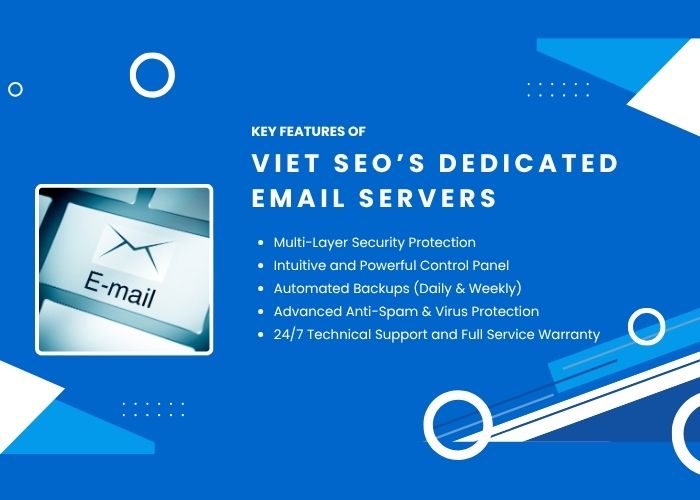
Depending on the package, Viet SEO can configure domain email, SPF, DKIM, DMARC, reverse DNS, TLS, spam and malware filtering, mailboxes, quotas, backups, and monitoring.
Agree on coverage for service availability, queues, storage, failed logins, resource use, and certificate expiry. Filtering can miss unwanted messages or filter legitimate mail.
Administration may use a mail-management interface, control panel, or command-line tools. Confirm the software stack and permissions; access to mailbox management does not automatically include full server administration.
Email Backup and Recovery
Email synchronization should not be treated as a complete backup strategy.
A suitable backup plan may include:
- Mailbox data
- Mail-server configuration
- DNS records
- Authentication keys
- User-account information
- Spam-filter settings
- Address books or calendars where supported
Questions to Ask About Backups
- How frequently are backups created?
- Where are backups stored?
- How long are they retained?
- Are backups encrypted?
- Can individual mailboxes or messages be restored?
- Is restoration included in the service fee?
- Has the recovery process been tested?
Terms such as “real-time backup” should be defined carefully. Continuous replication may copy corruption, deletion, or malware as well as legitimate data and is not a substitute for versioned backups.
Email Deliverability and IP Reputation
Deliverability is influenced by the reputation and behavior of the entire email environment.
Important factors include:
- SPF, DKIM, and DMARC
- Reverse DNS
- IP reputation
- Domain reputation
- Sending patterns
- Message content
- Recipient engagement
- Spam complaints
- Bounce rates
- Blocklist status
A dedicated server does not guarantee inbox placement.
Recipient systems such as Gmail, Outlook, Yahoo, and corporate gateways make independent filtering decisions.
Can a Dedicated Server Be Used for Bulk Email?
Technically, a dedicated server can send high volumes of email, but this does not mean unrestricted bulk sending is advisable or permitted.
Bulk email requires:
- Recipient consent
- Compliant unsubscribe processes
- List hygiene
- Bounce management
- Complaint monitoring
- Gradual reputation building
- Suitable sending infrastructure
- Compliance with provider policies and applicable law
Marketing campaigns, newsletters, and high-volume transactional messages are often better handled through a specialized email-delivery platform rather than the same server used for normal employee communication.
How to Choose a Dedicated Email Server
- Capacity: count employees, department addresses, system accounts, and growth; estimate attachments, retention, sent mail, and backup copies.
- Workload: review daily message volume, peak periods, automated traffic, recipients, and concurrent connections.
- Security: specify supported multi-factor authentication, encryption, access restrictions, logs, filtering, and data-location needs.
- Operations: choose managed administration if internal expertise is insufficient; define support hours, response targets, recovery objectives, and restoration fees.
- Compatibility: assess client access, calendars, contacts, CRM, ERP, directories, and archive integrations.
- Cost: compare the full quotation, including licenses, storage, migration, monitoring, security, and optional services.
Dedicated Email Server Setup Process
- Review users, domains, storage, sending patterns, security, and integrations.
- Select infrastructure and install the agreed mail stack and administration tools.
- Configure MX, host records, reverse DNS, SPF, DKIM, DMARC, TLS, filtering, and access controls.
- Set mailbox quotas, sending limits, backup schedules, retention, and monitoring alerts.
- Test internal and external delivery, client access, authentication, filtering, quotas, and backup jobs.
- Hand over agreed administrator access, documentation, guidance, and support procedures.
Email Migration to a Dedicated Server
Migration may involve:
- Mailboxes
- Historical messages
- Folders
- Aliases
- Forwarders
- Contacts
- Calendars
- Distribution lists
Typical Migration Process
- Review the existing email platform.
- Confirm source access and compatibility.
- Create destination accounts.
- Transfer available historical data.
- Configure DNS and authentication.
- Change MX records.
- Test sending and receiving.
- Monitor mail queues and delivery.
Migration time and cost depend on mailbox count, data volume, source access, bandwidth, calendars, contacts, and software compatibility.
Completely interruption-free migration cannot always be guaranteed because DNS propagation, external mail queues, cached settings, and user devices may affect the transition.
Common Dedicated Email Server Mistakes
Avoid unrestricted sending, weak administrator credentials, incorrect reverse DNS, unmonitored queues, and backups stored only on the production server. Keep bulk marketing separate from employee communication, test recovery, and review filtered messages.
Why Choose Viet SEO for Dedicated Email Services?
Viet SEO has provided domain, hosting, server administration, website development, security, maintenance, and email services since 2007. We can assist with requirements, infrastructure selection, installation, authentication, filtering, migration, backups, monitoring, and optional managed administration.
The quotation defines included work, permissions, support coverage, and recovery arrangements so your team knows who is responsible for daily operation and incidents.
Frequently Asked Questions About Dedicated Email Servers
Is a dedicated email server better than Google Workspace or Microsoft 365?
Not necessarily. A dedicated server provides greater infrastructure control, while cloud productivity platforms provide managed infrastructure and integrated collaboration tools. The better option depends on business requirements.
Can I create unlimited email accounts?
Account creation may not have a fixed software limit under selected configurations, but practical capacity is limited by storage, server resources, backup capacity, concurrent connections, and service policies.
Can I send unlimited email?
No. Sending should be controlled by appropriate rate limits, recipient policies, reputation requirements, provider rules, and applicable regulations.
Can I send newsletters from the server?
It may be technically possible, but ordinary employee communication and bulk marketing should generally use separate sending systems to protect reputation.
Does a dedicated server guarantee inbox placement?
No. Recipient systems make their own filtering decisions based on reputation, authentication, content, behavior, and user engagement.
Are backups included?
Backup schedules depend on the selected package. Storage location, retention, and restoration terms should be confirmed before deployment.
Can Viet SEO migrate my existing email?
Yes, subject to a technical review and available source access. Cost depends on account count, data volume, and platform compatibility.
Does a dedicated email server require IT staff?
An unmanaged server requires suitable technical expertise. Organizations without internal administrators should select a managed service.
Is email data completely private?
A dedicated environment can provide greater access control, but privacy still depends on administrator access, software, devices, backups, legal obligations, and operational practices.
What happens if the server fails?
Service may be interrupted unless redundancy, failover, backups, and recovery procedures have been implemented.
Do SPF, DKIM, and DMARC stop all phishing?
No. They reduce selected types of direct domain spoofing but do not prevent lookalike domains, compromised accounts, or social engineering.
Can the server be upgraded?
CPU, RAM, storage, and backup capacity may be upgraded depending on the infrastructure and service terms. Some changes may require a restart or migration.
Request a Dedicated Email Server Quotation
Whether you need a managed mail server for several departments, a high-capacity mailbox environment, custom routing, or greater control over company data, Viet SEO can help assess your requirements.
We can recommend a suitable solution based on:
- Number of users and domains
- Storage requirements
- Daily sending and receiving volume
- Security requirements
- Backup and retention requirements
- Availability requirements
- Migration requirements
- Integration requirements
- Internal IT capabilities
- Available budget
Contact Viet SEO:
- Phone and Zalo: +84 917 212 969
- Contact person: Mr. Viet
- Service area: Vietnam and international markets
Build a dedicated email environment based on actual capacity, security, deliverability, management, and business-continuity requirements.




Questions & Comments
You can ask a question about this article. Viet SEO will review and reply after moderation.
Robert Walker
26/09/2026Would moving to a dedicated email server solve these problems, and can Viet SEO migrate our existing mailboxes without changing our current email addresses?
For a company with around 60 users, the decision should not be based only on the number of mailboxes. Viet SEO would normally review the current workload and requirements first, including:
• Total mailbox storage currently in use
• Average and peak email traffic
• Attachment volume
• Required mailbox quotas by department
• Number of domains and aliases
• Backup and retention requirements
• Spam and malware filtering requirements
• SPF, DKIM, DMARC, and reverse DNS configuration
• Required availability and recovery time
• Integration with CRM, ERP, websites, or other business systems
• Internal IT capability and required managed support
If the current shared environment is limiting storage, policies, performance, or administration, a dedicated or managed email server can provide greater flexibility because resources and settings can be configured specifically for your organization.
Viet SEO can also assist with migration from the existing email platform. Depending on the source system and available access, migration may include:
• Existing mailboxes
• Historical email
• Mail folders
• Aliases and forwarding rules
• Contacts
• Calendars where supported
• Distribution lists
• DNS and authentication records
Your existing email addresses can normally remain unchanged because the domain does not need to change. The main technical work is creating the destination accounts, transferring available data, configuring authentication, changing the MX records, and testing sending and receiving.
However, completely interruption-free migration cannot always be guaranteed because DNS propagation, external mail queues, cached settings, user devices, and source-platform limitations may affect the transition.
Before recommending a server package, Viet SEO can review the existing email system, current storage usage, number of users, sending volume, and backup requirements to determine whether a dedicated email server is appropriate or whether another email architecture would be more efficient.