Professional Cloud VPS Services
Professional Cloud VPS Services in Vietnam
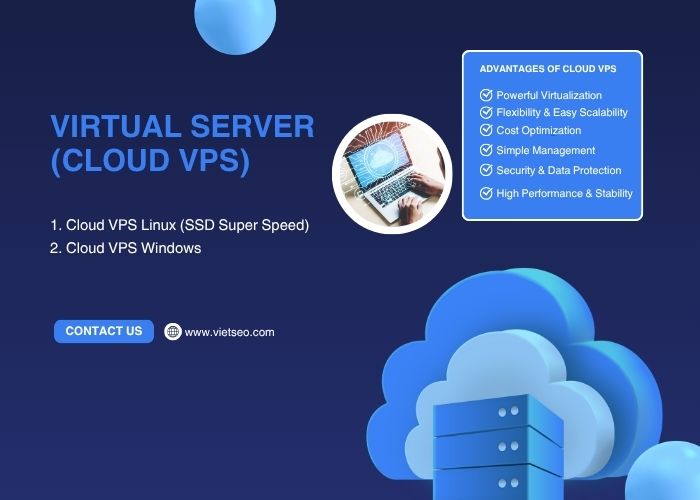
Cloud VPS is a virtual server solution that combines isolated computing resources with the flexibility of cloud infrastructure.
Compared with shared hosting, a Cloud VPS generally provides greater control over CPU, memory, storage, operating systems, software, and security settings. It is suitable for websites and applications that need more resources or flexibility than a standard shared hosting plan can provide.
At Viet SEO, we provide Linux and Windows Cloud VPS services for businesses, developers, online stores, custom applications, and other digital systems.
Linux Cloud VPS Pricing
The following Linux Cloud VPS plans are provided for initial reference. Final specifications, resource policies, operating-system options, backup terms, and pricing should be confirmed before purchase.
SSD Super Speed 01
- CPU
- 1 vCPU
- RAM
- 1 GB plus 1 GB promotional RAM
- SSD Storage
- 20 GB
- Public IP
- 1 IPv4 address
- Data Transfer
- Subject to network and fair-use policies
- Reference Price
- 3,000,000 VND per year
SSD Super Speed 02
- CPU
- 2 vCPU
- RAM
- 1.5 GB plus 1 GB promotional RAM
- SSD Storage
- 40 GB
- Public IP
- 1 IPv4 address
- Data Transfer
- Subject to network and fair-use policies
- Reference Price
- 6,000,000 VND per year
SSD Super Speed 03
- CPU
- 4 vCPU
- RAM
- 4 GB plus 1 GB promotional RAM
- SSD Storage
- 60 GB
- Public IP
- 1 IPv4 address
- Data Transfer
- Subject to network and fair-use policies
- Reference Price
- 6,000,000 VND per 6 months
SSD Super Speed 04
- CPU
- 6 vCPU
- RAM
- 6 GB plus 1 GB promotional RAM
- SSD Storage
- 80 GB
- Public IP
- 1 IPv4 address
- Data Transfer
- Subject to network and fair-use policies
- Reference Price
- 9,000,000 VND per 6 months
Promotional RAM should be confirmed at the time of purchase because promotional allocations may change.
Windows Cloud VPS Pricing
Windows VPS plans are suitable for applications that require Microsoft Windows Server, Remote Desktop, .NET-related workloads, or other Windows-compatible software.
Windows VPS 01
- CPU
- 2 vCPU
- RAM
- 4 GB
- Cloud Storage
- 60 GB
- Public IP
- 1 IPv4 address
- Data Transfer
- Subject to network and fair-use policies
- Reference Price
- 5,000,000 VND per 6 months
Windows VPS 02
- CPU
- 3 vCPU
- RAM
- 6 GB
- Cloud Storage
- 80 GB
- Public IP
- 1 IPv4 address
- Data Transfer
- Subject to network and fair-use policies
- Reference Price
- 8,000,000 VND per 6 months
Windows VPS 03
- CPU
- 4 vCPU
- RAM
- 8 GB
- Cloud Storage
- 100 GB
- Public IP
- 1 IPv4 address
- Data Transfer
- Subject to network and fair-use policies
- Reference Price
- 10,000,000 VND per 6 months
Windows VPS 04
- CPU
- 6 vCPU
- RAM
- 8 GB
- Cloud Storage
- 120 GB
- Public IP
- 1 IPv4 address
- Data Transfer
- Subject to network and fair-use policies
- Reference Price
- 12,000,000 VND per 6 months
Reference prices exclude 10% VAT unless otherwise stated. Windows licensing, control-panel licenses, backup storage, managed administration, and additional IP addresses may be charged separately.
Our Cloud VPS solutions may be used for:
- Business websites
- WordPress and WooCommerce websites
- Laravel and custom PHP applications
- E-commerce platforms
- Customer portals
- CRM and internal business systems
- Development and testing environments
- Remote Windows applications
- APIs and background services
What Is Cloud VPS?
A Cloud VPS is a virtual private server created on a virtualized infrastructure platform.
Each VPS is assigned a defined amount of resources, which may include:
- Virtual CPU cores
- RAM
- SSD or cloud storage
- Public IP addresses
- Network connectivity
- Operating-system access
The VPS operates as an independent server environment. Depending on the service package, the customer may install applications, configure the web server, create databases, manage users, and adjust security settings.
The exact level of resource isolation, redundancy, and scalability depends on the provider’s virtualization platform and infrastructure architecture.
Cloud VPS vs. Shared Hosting
Resource allocation
- Shared Hosting
- Resources are shared among multiple hosting accounts
- Cloud VPS
- Defined virtual resources are assigned to each VPS
Administrative control
- Shared Hosting
- Usually limited to a hosting control panel
- Cloud VPS
- Root or administrator access may be available
Software configuration
- Shared Hosting
- Limited to the provider’s supported environment
- Cloud VPS
- More flexibility to install and configure applications
Technical management
- Shared Hosting
- Most server administration is handled by the provider
- Cloud VPS
- May require managed service or in-house technical expertise
Suitable for
- Shared Hosting
- Small and relatively simple websites
- Cloud VPS
- Growing websites, custom applications, and resource-intensive systems
What Does “Unlimited Bandwidth” Mean for a VPS?
The term “unlimited bandwidth” does not normally mean that the server can transfer an unlimited amount of data under every condition.
Network usage may still be affected by:
- Port speed
- Fair-use policies
- Traffic-abuse policies
- Provider network capacity
- DDoS or security controls
- International bandwidth limits
- Application behavior
Businesses planning large downloads, media streaming, proxy services, or high-volume traffic should confirm the permitted use and actual network limits before purchase.
Advantages of Cloud VPS
1. Greater Resource Control
A Cloud VPS provides allocated virtual resources that are not managed in the same way as a standard shared hosting account.
This can provide more predictable performance for applications that require specific CPU, RAM, storage, or software configurations.
2. Operating-System Control
Depending on the package, customers may choose or configure operating systems such as Linux or Windows Server.
This provides more control over:
- Web server software
- PHP or application versions
- Database services
- Firewall rules
- Scheduled jobs
- Application dependencies
3. Flexible Upgrade Options
Cloud infrastructure can make resource upgrades more practical than replacing a physical server.
Possible upgrades may include:
- Additional CPU
- More RAM
- Expanded storage
- Additional IP addresses
- Backup capacity
Some upgrades may require a server restart, migration, billing change, or technical review. Completely interruption-free scaling should not be assumed unless it is included in the service specification.
4. Application Isolation
Each VPS operates in a separate virtual environment. This can provide stronger isolation than shared hosting.
The actual level of isolation depends on the virtualization technology and provider configuration.
5. Support for Custom Applications
A VPS can support software and configurations that may not be available on shared hosting.
Examples include:
- Laravel applications
- Node.js applications
- Custom APIs
- Background workers
- Queue services
- Private databases
- Remote Windows software
6. Cost Control
A Cloud VPS can provide a practical middle ground between shared hosting and a dedicated physical server.
However, not every VPS uses a pay-as-you-go billing model. The supplied Viet SEO packages use fixed billing periods, so customers should evaluate the total package price rather than assuming usage-based billing.
Cloud VPS Limitations to Consider
1. Technical Management
An unmanaged VPS requires server-administration skills.
The administrator may be responsible for:
- Operating-system updates
- Firewall configuration
- Application installation
- Backups
- Monitoring
- Security
- Troubleshooting
2. Resource Limits
A VPS still has defined CPU, memory, storage, and network limits.
An application can become slow or unstable when its workload exceeds the available resources.
3. Shared Physical Infrastructure
Although each VPS is isolated virtually, several VPS instances may still operate on the same physical host or cloud cluster.
4. Backup Responsibility
Backups are not always included automatically. Customers should confirm backup frequency, retention, storage location, and restoration support.
5. Software Licensing
Windows Server, control panels, database software, security tools, and other commercial applications may require separate licenses.
Managed vs. Unmanaged Cloud VPS
Server setup
- Managed VPS
- Handled partly or fully by the service provider
- Unmanaged VPS
- Handled by the customer
Operating-system updates
- Managed VPS
- May be included according to scope
- Unmanaged VPS
- Customer responsibility
Security configuration
- Managed VPS
- Provider assists under the agreed plan
- Unmanaged VPS
- Customer responsibility
Monitoring
- Managed VPS
- May be included
- Unmanaged VPS
- Customer configures monitoring
Technical knowledge required
- Managed VPS
- Lower
- Unmanaged VPS
- Higher
Cost
- Managed VPS
- Generally higher because administration is included
- Unmanaged VPS
- Generally lower for infrastructure only
What May Be Included in Managed VPS?
- Initial server configuration
- Web server setup
- PHP and database configuration
- Security updates
- Firewall configuration
- Backup configuration
- Monitoring
- Performance tuning
- Technical troubleshooting
The term “managed VPS” varies between providers. The included operating systems, software, working hours, support response targets, and excluded tasks should be stated in the service agreement.
Linux VPS vs. Windows VPS
Common use cases
- Linux VPS
- PHP, WordPress, Laravel, web servers, databases, APIs
- Windows VPS
- Remote Desktop, Windows applications, Microsoft-based systems
Administration
- Linux VPS
- Commonly managed through SSH and a control panel
- Windows VPS
- Commonly managed through Remote Desktop and Windows tools
Licensing
- Linux VPS
- Many Linux distributions are available without an operating-system license fee
- Windows VPS
- Windows licensing costs may apply
Resource requirements
- Linux VPS
- Can operate efficiently with relatively modest resources depending on workload
- Windows VPS
- Usually requires more RAM and storage for the operating system
Cloud VPS Security
A VPS gives the customer more control, but that control also creates additional security responsibilities.
1. Secure Administrator Access
Recommended practices include:
- Strong and unique passwords
- SSH keys for Linux servers where appropriate
- Multi-factor authentication where supported
- Restricted administrator accounts
- Limited Remote Desktop or SSH access
2. Firewall Configuration
Only required ports and services should be exposed to the internet.
3. Software Updates
Operating systems, control panels, web servers, databases, frameworks, and applications should be updated appropriately.
4. Malware and Activity Monitoring
Monitoring may help identify:
- Suspicious logins
- Unexpected processes
- High resource usage
- Modified files
- Malware
- Unusual network activity
5. DDoS Mitigation
DDoS mitigation may involve provider-level traffic filtering, firewalls, rate limiting, CDN services, and application controls.
No VPS or provider can guarantee protection against every DDoS attack.
6. Backups
Backups should ideally be stored separately from the VPS so that a server failure or compromise does not affect every copy.
Cloud VPS Backup and Recovery
A reliable backup strategy may include:
- Full server snapshots
- Website-file backups
- Database backups
- Configuration backups
- Off-site storage
- Retention policies
- Restoration testing
Snapshots and backups serve different purposes. A snapshot can help restore a server state quickly, while file and database backups may provide more granular recovery options.
Customers should confirm:
- How frequently backups are created
- How long they are retained
- Where they are stored
- Whether restoration is included
- Whether backups are encrypted
Cloud Storage Services
Cloud storage refers to storing and managing data through remote infrastructure accessed over a network.
Cloud storage may support:
- File storage
- Server backups
- Media archives
- Shared business documents
- Application data
- Disaster recovery
Cloud storage is related to Cloud VPS but is not the same service. A VPS provides computing resources and an operating system, while a cloud storage service is primarily designed to store and retrieve data.
Potential Advantages of Cloud Storage
- Remote data access
- Flexible capacity
- Centralized file management
- Backup and recovery support
- Reduced dependence on local storage devices
- Collaboration options
Availability, redundancy, encryption, backup, and access controls depend on the selected storage architecture and provider.
Types of Cloud Storage
1. Public Cloud Storage
Public cloud storage is provided through shared cloud infrastructure operated by a service provider.
It may offer:
- Lower initial infrastructure costs
- Flexible capacity
- Provider-managed hardware
- Accessible APIs and management tools
2. Private Cloud Storage
Private cloud storage is dedicated to one organization and may be hosted internally or by a service provider.
It may be chosen when an organization requires greater control over infrastructure, access, integration, or internal policies.
3. Hybrid Cloud Storage
Hybrid cloud storage combines private and public environments.
For example, an organization may store sensitive operational data privately while using public cloud services for backups or less-sensitive files.
4. Multi-Cloud Storage
A multi-cloud strategy uses services from more than one cloud provider.
Potential reasons include:
- Reducing dependence on one provider
- Meeting regional requirements
- Using specialized services
- Improving disaster-recovery options
A multi-cloud environment can also increase complexity, cost, security requirements, and management effort.
Real-World Applications of Cloud VPS
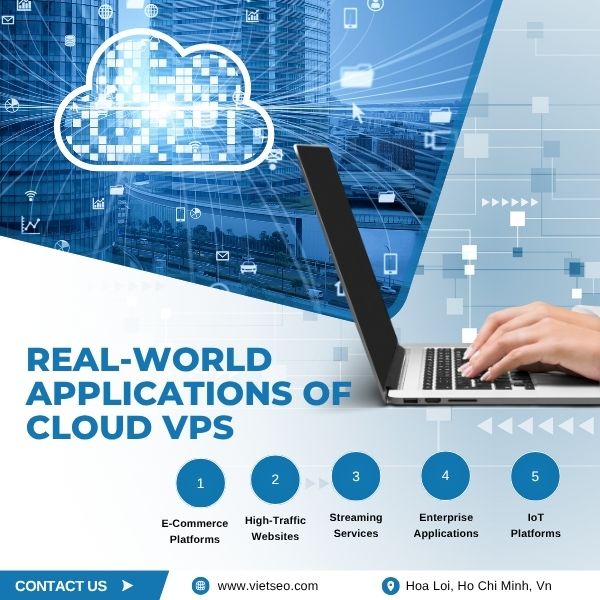
1. E-Commerce Websites
A VPS can support online stores that require:
- Dedicated application resources
- Database performance
- Payment integration
- Backup control
- Custom server configuration
High availability and secure payment processing depend on the complete application and infrastructure architecture, not on the VPS plan alone.
2. High-Traffic Websites
News websites, blogs, communities, and content platforms may use a VPS when shared hosting limits become restrictive.
Actual traffic capacity depends on:
- Application efficiency
- Caching
- Database design
- Media delivery
- Available CPU and RAM
- Concurrent users
3. Business Applications
Cloud VPS can host applications such as:
- CRM systems
- Project-management tools
- Inventory systems
- Booking applications
- Customer portals
- Internal dashboards
4. Development and Testing
Developers can use a VPS for:
- Staging environments
- Application testing
- Continuous integration
- Private repositories
- API development
5. Remote Windows Applications
A Windows VPS may be used for compatible software that requires Remote Desktop or a continuously available Windows environment.
Application licensing and multi-user access requirements should be reviewed before deployment.
6. APIs and Background Services
A VPS can operate:
- REST APIs
- Webhooks
- Queue workers
- Scheduled jobs
- Data-processing services
- Monitoring applications
7. Streaming and Media Delivery
Streaming can require substantial bandwidth, storage, encoding, and content-delivery infrastructure.
A basic VPS may not be sufficient for large-scale streaming. Requirements should be evaluated before deployment.
8. IoT and Data Processing
A VPS may support selected IoT backends, message services, dashboards, and data-processing workloads.
Large-scale or safety-critical systems may require specialized architecture beyond a single VPS.
How to Choose the Right Cloud VPS Plan
1. Identify the Workload
Determine whether the VPS will host:
- A website
- An e-commerce store
- A database
- A custom application
- A Windows program
- Multiple websites
- A development environment
2. Estimate CPU Requirements
CPU requirements depend on:
- Concurrent users
- Dynamic page generation
- Background processing
- Database queries
- Application frameworks
- Scheduled tasks
3. Estimate RAM Requirements
RAM may be used by:
- The operating system
- Web server processes
- Database services
- Control panels
- Application workers
- Caching services
Windows Server generally requires more memory than a minimal Linux environment.
4. Estimate Storage Requirements
Storage may be used by:
- Operating-system files
- Website files
- Databases
- Logs
- Backups
- Uploaded media
5. Review Network Requirements
Confirm:
- Port speed
- Domestic and international connectivity
- Traffic policies
- DDoS mitigation options
- Additional IP requirements
6. Choose Managed or Unmanaged Service
Businesses without server-administration experience should consider a managed plan or separate technical-management service.
7. Confirm Backup Requirements
Do not assume that VPS snapshots or backups are included unless the proposal states this clearly.
8. Review Software Compatibility
Confirm operating-system, database, control-panel, runtime, and license requirements before selecting a plan.
9. Plan for Growth
Select a plan with a practical upgrade path, but avoid paying for resources that are unlikely to be used.
Cloud VPS Migration Process
Moving a website or application to a VPS may involve:
- Website files
- Databases
- DNS records
- Email accounts
- SSL certificates
- Scheduled tasks
- Application dependencies
- Firewall settings
Typical Migration Steps
- Review the existing system.
- Confirm destination compatibility.
- Create a complete backup.
- Prepare the VPS environment.
- Transfer files and databases.
- Configure software and services.
- Test the application.
- Update DNS.
- Monitor the system after migration.
Migration may be included or quoted separately depending on system size, access, email volume, complexity, and current security condition.
Common Cloud VPS Mistakes
1. Choosing an Unmanaged VPS Without Technical Experience
An unmanaged server can become insecure or unreliable when updates, backups, and monitoring are neglected.
2. Using Weak Administrator Passwords
Internet-facing VPS servers are frequently targeted by automated login attempts.
3. Exposing Unnecessary Ports
Every publicly accessible service increases the potential attack surface.
4. Storing Backups Only on the VPS
A server failure or compromise may affect both production data and local backups.
5. Ignoring Resource Monitoring
CPU, RAM, disk, database, and network trends can indicate when optimization or an upgrade is required.
6. Assuming “Cloud” Means No Downtime
Availability still depends on infrastructure, configuration, software, maintenance, and external services.
7. Assuming Unlimited Network Use
Network and fair-use limits may still apply.
8. Forgetting Software License Costs
Windows, control panels, databases, and commercial security tools may increase the total cost.
9. Selecting Resources Based Only on Visitor Numbers
Application complexity and database behavior can be more important than total visits.
Why Choose Viet SEO for Cloud VPS?
Viet SEO has provided website hosting, server administration, website development, maintenance, and SEO services since 2007.
Our combined experience allows us to recommend VPS resources in relation to the complete application environment.
Clients choose Viet SEO for:
- Linux and Windows VPS options
- VPS configuration and migration support
- Experience with WordPress, WooCommerce, PHP, Laravel, and custom applications
- Domain, DNS, SSL, and hosting assistance
- Optional managed server services
- Backup and security configuration
- Support for Vietnamese and international businesses
- Flexible upgrade options
We do not promise uninterrupted uptime, complete cybersecurity protection, instant scaling in every case, or unlimited network use. Our objective is to provide an appropriately configured VPS environment according to the agreed technical scope and service package.
Frequently Asked Questions About Cloud VPS
Is Cloud VPS better than shared hosting?
Cloud VPS provides more resources and control, but it also requires more technical management and usually costs more. Shared hosting may still be suitable for small, simple websites.
Do I need server-administration experience?
Yes, for an unmanaged VPS. Businesses without that experience should choose managed administration or work with a qualified system administrator.
Which is better: Linux or Windows VPS?
The right choice depends on the application. Linux is commonly used for PHP, WordPress, Laravel, and open-source web stacks. Windows is suitable for compatible Microsoft and Remote Desktop applications.
Are backups included?
Backup inclusion depends on the selected package. Frequency, retention, storage, and restoration support should be confirmed before purchase.
Can VPS resources be upgraded?
Resources can often be increased, but the process may require a restart, migration, or billing adjustment.
Does Cloud VPS guarantee uptime?
No. Cloud infrastructure can improve flexibility and resilience, but downtime can still result from software, hardware, networks, maintenance, attacks, or configuration errors.
Does a VPS include a control panel?
Not always. Control panels may require a separate license and installation.
Can Viet SEO migrate my website to a VPS?
Yes, subject to a technical review. Migration may be included or quoted separately depending on complexity.
Can I host multiple websites on one VPS?
Yes, when the VPS has sufficient resources and is configured appropriately. The number of websites should be based on actual workload rather than a fixed count alone.
Is a VPS secure by default?
No. A VPS must be configured, updated, monitored, and backed up properly.
Does a VPS improve SEO?
A properly configured VPS can support website availability and performance, but it does not guarantee higher search rankings.
Request a Cloud VPS Consultation
Whether you need a VPS for a growing website, online store, custom application, remote Windows software, or business system, Viet SEO can help review your requirements.
We can recommend a suitable plan based on:
- Operating system
- Application platform
- CPU and RAM requirements
- Storage needs
- Expected traffic
- Network requirements
- Backup requirements
- Security requirements
- Managed-support needs
Contact Viet SEO:
- Phone and Zalo: +84 917 212 969
- Contact person: Mr. Viet
- Service area: Vietnam and international markets
Choose a Cloud VPS configuration that matches your application, technical capabilities, security requirements, and long-term growth plans.


Questions & Comments
You can ask a question about this article. Viet SEO will review and reply after moderation.
Brian Foster
02/10/2026We are considering moving everything to one Cloud VPS. How can we determine the right CPU, RAM, and storage configuration, and would you recommend a managed VPS if we do not have a full-time system administrator?
Before recommending a configuration, Viet SEO would normally review factors such as:
• Current CPU and memory usage
• Website traffic and concurrent users
• Database size and query activity
• Number of WordPress plugins and background tasks
• PHP and application requirements
• Storage used by websites, databases, logs, and backups
• Expected growth
• Backup retention requirements
• Email or additional services running on the server
• Security and monitoring requirements
For example, three lightweight WordPress websites may use fewer resources than one heavily customized WooCommerce or PHP application. Database behavior, caching, scheduled tasks, and application workers can significantly affect CPU and RAM requirements.
It is also important to leave sufficient capacity for the operating system, web server, database service, control panel if used, caching services, monitoring, and temporary traffic peaks.
If your company does not have an experienced system administrator, a managed VPS or separate managed-server service would generally be more appropriate than an unmanaged VPS.
Depending on the agreed service scope, managed support may include:
• Initial server configuration
• Web server and PHP setup
• Database configuration
• Firewall and access control
• Operating-system and security updates
• Backup configuration
• Monitoring
• Performance tuning
• Technical troubleshooting
Backups should also be planned separately from the production VPS where possible, because keeping every backup on the same server may not protect the business if the server fails or is compromised.
Viet SEO can first review the four existing systems, current resource usage, storage, software versions, traffic, and backup requirements. Based on that information, we can recommend a suitable Linux or Windows VPS configuration and determine whether hosting everything on one VPS or separating selected workloads would be more appropriate.