Professional Web Hosting Services
Web hosting at Viet SEO supports business websites, WordPress sites, online stores, and compatible PHP applications. Compare the eight Linux Hosting plans below and choose according to storage, database needs, and actual workload.
Call or Zalo +84 917 212 969 to review your website requirements and confirm the total cost before ordering.
Shared Hosting Pricing
The following plans are provided as reference packages. Final availability, specifications, and pricing should be confirmed before purchase or renewal.
Linux Hosting Plans
Plan 1
900,000 VND per year
- Storage
- 800 MB
- Data Transfer
- Subject to fair-use and resource policies
- Subdomains
- 5
- PHP Support
- Yes
- MySQL Databases
- 1
Plan 2
1,056,000 VND per year
- Storage
- 1 GB
- Data Transfer
- Subject to fair-use and resource policies
- Subdomains
- 15
- PHP Support
- Yes
- MySQL Databases
- 2
Plan 3
1,560,000 VND per year
- Storage
- 1.5 GB
- Data Transfer
- Subject to fair-use and resource policies
- Subdomains
- 20
- PHP Support
- Yes
- MySQL Databases
- 4
Plan 4
1,860,000 VND per year
- Storage
- 2 GB
- Data Transfer
- Subject to fair-use and resource policies
- Subdomains
- 25
- PHP Support
- Yes
- MySQL Databases
- 5
Advanced Linux Hosting Plans
Plan 5
2,880,000 VND per year
- Storage
- 3.5 GB
- Data Transfer
- Subject to fair-use and resource policies
- Subdomains
- 40
- PHP Support
- Yes
- MySQL Databases
- 8
Plan 6
4,440,000 VND per year
- Storage
- 5 GB
- Data Transfer
- Subject to fair-use and resource policies
- Subdomains
- 60
- PHP Support
- Yes
- MySQL Databases
- 10
Plan 7
2,910,000 VND per 6 months
- Storage
- 7 GB
- Data Transfer
- Subject to fair-use and resource policies
- Subdomains
- 100
- PHP Support
- Yes
- MySQL Databases
- 15
Plan 8
4,110,000 VND per 6 months
- Storage
- 10 GB
- Data Transfer
- Subject to fair-use and resource policies
- Subdomains
- According to package limits
- PHP Support
- Yes
- MySQL Databases
- 30
Reference prices exclude 10% VAT unless otherwise stated. Prices, specifications, support terms, and resource policies may change over time.
Plans 7 and 8 are listed with six-month billing terms in the supplied price list. Clients should confirm the equivalent annual cost before purchase.

What to Confirm Before Ordering
The price cards list storage and selected features. Confirm the following additional limits and service terms:
- Resources: CPU, RAM, concurrent processes, I/O, file-count limits, and database connections.
- Compatibility: PHP version, database support, scheduled tasks, and any required SSH, Composer, Node.js, or background processes.
- Backup: frequency, retention, storage location, and restoration support or fees.
- Security: SSL availability, account protection, updates, and any included firewall or malware controls.
- Support: working hours, channels, response targets, and included responsibilities.
- Growth: upgrade options, migration requirements, possible downtime, and additional charges.
Plans 1–6 use annual billing; Plans 7–8 use six-month billing. Compare the same billing period and confirm renewal pricing, VAT, and optional services.
What Is Web Hosting?
Hosting provides the server environment that stores website files and databases and processes visitor requests. DNS connects the domain to the server, which returns the content to the browser.
Domain Name vs. Web Hosting
Domain Name
- Purpose
- Provides the online address
- Example
vietseo.com
- Renewal
- Usually renewed by registration period
Web Hosting
- Purpose
- Provides the server environment
- Example
- The server storing and running the Viet SEO website
- Renewal
- Usually renewed monthly, quarterly, semi-annually, or annually
Can providers differ? Yes. A domain can be registered with one provider and hosted with another.
How to Choose the Right Plan
- Identify the application: a company profile, store, portal, or custom application can have different requirements.
- Measure storage: include files, media, databases, email, logs, and any backups stored in the account.
- Review workload: concurrent users, plugins, queries, search functions, API calls, and logged-in sessions matter as well as visitor numbers.
- Check compatibility and operations: confirm software, backups, support, server location, and the upgrade path.
A small website may work well on shared hosting. More complex or demanding applications may need VPS, cloud, or dedicated infrastructure. More storage alone does not guarantee faster processing.
Shared Hosting vs. VPS vs. Dedicated Server
Shared Hosting
- Cost
- Generally the lowest
- Resources
- Shared with other accounts
- Control
- Limited
- Technical management
- Usually handled largely by provider
- Suitable for
- Small and basic websites
VPS Hosting
- Cost
- Moderate
- Resources
- Allocated virtual resources
- Control
- Greater administrative control
- Technical management
- May be managed or unmanaged
- Suitable for
- Growing websites and custom applications
Dedicated Server
- Cost
- Generally the highest
- Resources
- Entire physical server
- Control
- High level of control
- Technical management
- Usually requires professional administration
- Suitable for
- Large or specialized systems
Other options: cloud hosting can offer flexible resources depending on its architecture. Managed WordPress hosting may include platform-specific caching, updates, staging, or backups according to the package.
Performance, Security, and Backups
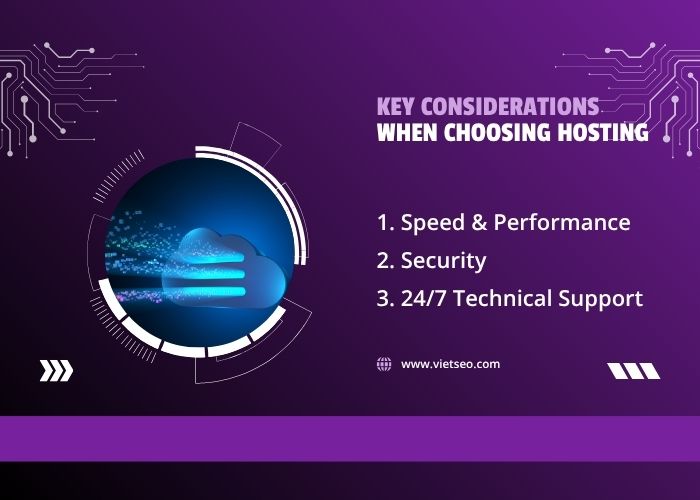
- Performance: CPU, memory, storage, caching, database queries, and server configuration affect response times. Website code, media, external services, and network distance also matter.
- Security: protect account access and maintain website software, plugins, and passwords. HTTPS encrypts connections but does not remove application vulnerabilities.
- Recovery: confirm backup terms and keep an independent copy of important data where possible.
- Availability: review uptime commitments, maintenance terms, and incident support in the service agreement.
Understanding “Unlimited” Bandwidth
Unlimited or unmetered transfer does not remove CPU, RAM, process, I/O, file-count, or fair-use limits. Confirm actual restrictions before using hosting for large downloads, streaming, or resource-intensive applications.
Moving Your Website to Viet SEO
- Review the current platform, access, files, databases, email, and integrations.
- Confirm destination compatibility and create a complete backup.
- Transfer data and configure the new hosting environment.
- Test website functions, forms, checkout, email, SSL, and scheduled tasks before switching DNS.
- Update DNS and monitor the website during the transition.
Keep the old hosting active during the transition. Websites with ongoing orders or user activity need a data synchronization plan. Migration may be included for eligible websites or quoted separately according to size, email volume, complexity, and access.
Why Choose Viet SEO?
Viet SEO has provided domain, hosting, server administration, website development, maintenance, and SEO services since 2007. We assess hosting as part of the complete website environment and confirm fees and support scope before proceeding.
- Hosting and server support for Vietnamese and international businesses.
- Experience with WordPress, WooCommerce, PHP, Laravel, and custom websites.
- Domain, DNS, migration, SSL, and backup assistance within the agreed scope.
- Upgrade guidance when the current environment no longer meets your needs.
Frequently Asked Questions
Do I need to renew hosting?
Yes. Hosting runs for a defined billing period. Expiry can interrupt websites and email; data-retention terms depend on the provider.
Does hosting include a domain or email?
Only when stated in the package. Confirm email features and storage separately; a domain registration is a separate service unless bundled.
Are SSL and backups included?
Confirm the selected plan’s certificate, renewal, backup, retention, and restoration terms before purchase.
Is migration free?
It may be included for eligible websites. Large, custom, compromised, or complex systems can require a separate quotation.
Can I upgrade later?
Plans can generally be upgraded or migrated. The process, charges, and possible downtime depend on the environments involved.
Does hosting guarantee better Google rankings?
No. Reliable hosting supports availability and performance, while rankings also depend on content, technical SEO, authority, and competition.
Is support available 24/7?
Support hours, monitoring, emergency response, and fees depend on the agreed plan. Confirm these terms before ordering.
Request a Hosting Consultation
Send your website platform, current storage, expected workload, email needs, and migration requirements. Viet SEO will review them and confirm a suitable plan, total fees, and support scope.
- Phone and Zalo: +84 917 212 969
- Contact person: Mr. Viet
- Service area: Vietnam and international markets


Questions & Comments
You can ask a question about this article. Viet SEO will review and reply after moderation.
Michael Brown
01/10/2026Can Viet SEO check the current hosting and website performance first and recommend whether we should optimize the existing setup, upgrade the hosting plan, or move to a VPS?
A larger hosting package does not automatically solve performance problems if the website itself has inefficient code, slow database queries, too many plugins, heavy media files, insufficient caching, or resource-intensive background processes.
Viet SEO can first review the current environment, including:
• Server response time
• CPU and memory usage where available
• Storage and input/output limits
• Database performance
• PHP version and configuration
• WordPress plugins and themes
• Page and server-side caching
• Large images or media files
• Cron jobs and background processes
• Website traffic patterns
• Error logs and resource-limit events
• CDN and DNS configuration where applicable
If the current hosting still has sufficient resources, optimization may be more appropriate than upgrading immediately.
If the website regularly reaches CPU, memory, process, database-connection, or other resource limits after optimization, then moving to a larger shared-hosting plan, VPS, cloud environment, or another hosting architecture may be justified.
For a growing WordPress or WooCommerce website, VPS may provide more predictable resources and greater configuration control, but it also requires suitable server administration or managed support.
Viet SEO can review the existing website and hosting first, then recommend the most appropriate option based on actual resource usage, traffic, website complexity, performance requirements, security, backup needs, and budget.