Duplicate Content in SEO: Causes, Risks and How to Fix It
What Is Duplicate Content?
Duplicate content refers to identical or substantially similar content that appears on more than one URL. It may occur within the same website or across different websites.
For example, the same article may be accessible through several URL variations, multiple product pages may reuse the same description, or several blog posts may answer the same search intent with only minor wording changes.
Duplicate content is not always created intentionally. In many cases, it results from technical configurations, content-management systems, product filters, tracking parameters, or a lack of editorial planning.
Although ordinary duplicate content does not automatically result in a Google penalty, it can make it harder for search engines to identify the most representative page. It may also weaken content performance, create unnecessary competition between URLs, and provide a repetitive experience for visitors.
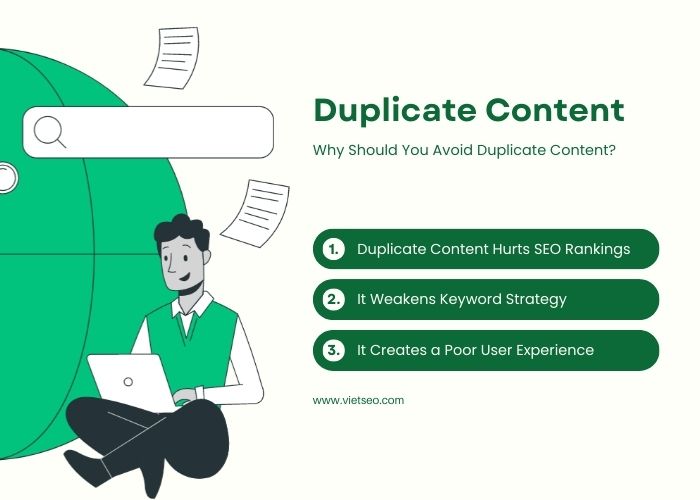
Why Should You Avoid Duplicate Content?
Managing duplicate and overlapping content is essential for building a clear, sustainable SEO structure. When several URLs contain the same information or target the same intent, search engines and users may struggle to understand which page is the most useful.
1. Search Engines May Choose a Different Canonical Page
When Google discovers several similar pages, it usually groups them and selects one URL as the canonical version. This is the page Google considers the most representative and is generally the version shown in search results.
If your website does not provide clear canonical signals, Google may select a different URL from the one you prefer. As a result:
- An outdated or less optimized URL may appear in search results.
- Search performance data may be attributed to the canonical URL instead of duplicate versions.
- Internal links and backlinks may point to different URLs.
- Search engines may spend time crawling URLs that provide no additional value.
Providing a consistent preferred URL helps search engines process and present your content more efficiently.
2. Overlapping Pages Can Compete for the Same Search Intent
When several articles target the same keyword and answer the same user need, they may compete with each other. This situation is commonly referred to as keyword cannibalization.
For example, a website might publish separate articles titled:
- “How to Do Keyword Research”
- “A Complete Keyword Research Guide”
- “Keyword Research for SEO”
If all three pages provide nearly identical information for the same audience, search engines may have difficulty determining which one should rank for the primary query.
However, publishing several pages about a related topic is not automatically cannibalization. Multiple pages can coexist successfully when each one serves a distinct search intent, audience, funnel stage, or use case.
3. Ranking Signals May Be Divided Between Multiple URLs
Similar pages can attract links, internal-link authority, traffic, and engagement separately. Instead of concentrating these signals on one strong resource, the website may divide them across several weaker URLs.
Consolidating genuinely overlapping pages can create a more complete and authoritative destination while simplifying the website structure.
4. Duplicate Pages Can Waste Crawl Resources
Search engines have limited resources for discovering and revisiting URLs. On a small website, a few duplicate pages may not create a serious crawling problem. On a large e-commerce, news, marketplace, or directory website, however, filters and URL parameters can generate thousands of unnecessary variations.
If search engines repeatedly crawl low-value duplicate URLs, they may take longer to discover or revisit important pages.
5. Repetitive Content Creates a Poor User Experience
Duplicate content also affects visitors. When users open several pages and repeatedly encounter the same information, they may become confused about which page is current, complete, or reliable.
A clear content structure helps visitors:
- Find the right answer more quickly
- Understand the relationship between related topics
- Move naturally from general information to detailed guidance
- Avoid reading the same explanation several times
- Trust that the website is actively managed
Common Types of Duplicate Content
Duplicate content can generally be divided into two categories: editorial duplication and technical duplication.
Editorial Duplicate Content
Editorial duplication occurs when writers or content teams create multiple pages with substantially similar information.
Common examples include:
- Publishing several articles for minor keyword variations
- Rewriting an old article without updating or removing the original
- Copying introductions and service descriptions across many pages
- Using manufacturer descriptions on product pages
- Publishing location pages with only the city name changed
- Reusing the same case study or FAQ content across unrelated pages
Technical Duplicate Content
Technical duplication occurs when the website makes the same content accessible through multiple URLs.
Examples include:
http://example.com/pageandhttps://example.com/pagehttps://example.com/pageandhttps://www.example.com/page- URLs with and without trailing slashes
- Uppercase and lowercase URL variations
- Print-friendly versions of articles
- Session IDs and tracking parameters
- Sorting and filtering parameters
- Pagination and faceted navigation
- Category, author, date, and tag archives
- Staging or development versions accessible to search engines
Common Causes of Duplicate and Overlapping Content
1. Publishing the Same Topic Too Many Times
When multiple writers work without a shared content plan, they may unknowingly create articles that target the same question.
The titles may be different, but the search intent, structure, examples, and conclusions may be nearly identical.
2. Unclear Keyword Targeting
Different keywords can represent the same search intent. For example, “best SEO tools” and “top SEO software” may require one strong comparison page rather than two separate articles.
Creating a new page for every keyword variation can lead to unnecessary overlap. Keywords should therefore be grouped by meaning and intent before content production begins.
3. Copying Product Descriptions
E-commerce websites often use descriptions supplied by manufacturers or distributors. Because many other stores use the same information, these descriptions provide little differentiation.
Duplication can also occur internally when several product variants reuse the same text without explaining meaningful differences such as size, material, compatibility, usage, or target customer.
4. Reusing Location-Page Content
Businesses sometimes create one service page for every city and replace only the location name. This produces pages with very little unique value.
A useful location page should include information relevant to that specific market, such as:
- Available services
- Service areas
- Local customer needs
- Project examples
- Delivery or response times
- Local contact information
- Frequently asked questions
5. Content Management System Settings
Some content-management systems automatically create category, tag, author, date, attachment, feed, and archive URLs. Depending on how these pages are configured, they may reproduce large portions of the original content.
6. URL Parameters and Faceted Navigation
Filters, sorting options, campaign parameters, and tracking codes can create many URLs that display the same or nearly identical page.
For example:
/shoes?color=black&size=42/shoes?size=42&color=black/shoes?utm_source=tiktok
These URLs may be useful for users or analytics, but they require careful technical handling to avoid unnecessary indexable variations.
How to Manage Multiple Articles Without Duplication
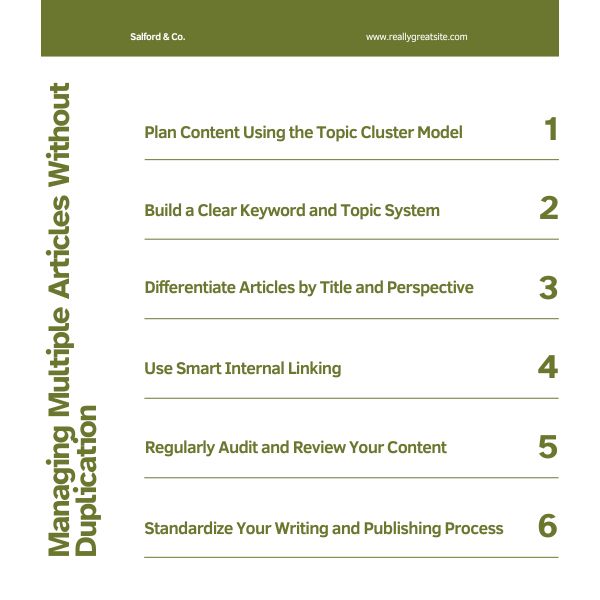
1. Plan Content With Topic Clusters
The topic cluster model helps organize a large content library around clearly defined subjects.
A typical cluster includes:
- Pillar page: A broad resource covering the main subject
- Cluster pages: Detailed articles addressing specific subtopics
- Internal links: Contextual links connecting the pillar and supporting pages
For example:
- Pillar page: SEO for Beginners
- How to Conduct Keyword Research
- What Is On-Page SEO?
- How Internal Linking Works
- What Are Backlinks?
- Technical SEO Checklist
The pillar page should provide a useful overview, while each cluster page should explore one aspect in greater depth. The pages should complement rather than repeat each other.
2. Build a Keyword and Content Map
A keyword map assigns a unique search intent and primary topic to each indexable page.
For every planned article, record:
- Proposed URL
- Primary topic
- Primary keyword group
- Secondary topics
- Search intent
- Target audience
- Content format
- Funnel stage
- Existing related pages
- Planned internal links
- Publication and review dates
Before approving a new article, search the content map and website to determine whether an existing page already serves the same purpose.
3. Group Keywords by Search Intent
Do not create a separate page merely because two keywords are worded differently. First determine whether users expect the same type of answer.
Keywords that produce similar search results and require the same content structure can often be targeted on one page.
Separate pages may be appropriate when the intent is meaningfully different. For example:
| Keyword or Topic | Likely Intent | Recommended Page |
|---|---|---|
| What is Product A? | Informational | Product overview |
| Product A review | Evaluation | Detailed review |
| Product A vs. Product B | Comparison | Comparison guide |
| How to use Product A | Practical guidance | Tutorial |
| Buy Product A | Transactional | Product page |
4. Define a Unique Purpose for Every Page
Every indexable page should have a clear reason to exist.
Before writing, complete the following statement:
This page helps [specific audience] accomplish [specific goal] by providing [distinct value].
If the same statement also describes an existing page, consider expanding or updating that page instead of creating a new URL.
5. Create Detailed Content Briefs
A content brief reduces overlap by defining the scope before writing begins.
A useful brief should specify:
- The primary question the article must answer
- The intended audience
- The search intent
- Topics that must be covered
- Topics that belong on other pages
- Examples, data, or expert input required
- Internal links to include
- The desired conversion action
The section explaining what the writer should not cover is particularly important when several related articles are being produced.
6. Use Strategic Internal Linking
Internal links help users and search engines understand how pages relate to one another.
Apply the following practices:
- Link from broad pages to detailed supporting resources.
- Link related cluster pages when the connection is useful.
- Use descriptive anchor text that explains the destination.
- Avoid forcing the same exact-match anchor text into every page.
- Prioritize links that help users continue their research.
- Update older articles when new relevant content is published.
Internal linking should clarify the content architecture rather than compensate for several pages with the same purpose.
7. Use Original Product and Service Content
Product and service pages should provide information that customers cannot easily find on competing websites.
Depending on the page, this may include:
- Original photographs and videos
- Detailed specifications
- Benefits and limitations
- Compatibility information
- Use cases
- Installation or maintenance guidance
- Customer questions
- Delivery and warranty details
- Expert recommendations
- Real project examples
8. Standardize the Writing and Publishing Process
A documented workflow helps teams maintain quality as content production grows.
A practical workflow may include:
- Check the content inventory.
- Review keyword and search-intent overlap.
- Approve the content brief.
- Draft the article.
- Review factual accuracy and originality.
- Check the proposed URL, title, headings, and internal links.
- Complete an editorial and SEO review.
- Publish and request indexing when appropriate.
- Monitor performance after publication.
- Schedule a future content review.
Technical Solutions for Duplicate Content
The correct solution depends on why the duplicate URLs exist and whether users still need access to them.
1. Use a 301 Redirect
Use a permanent redirect when an old or duplicate page is no longer needed and another URL should replace it.
A 301 redirect is commonly appropriate when:
- Two overlapping articles have been merged.
- A page has moved to a new URL.
- HTTP redirects to HTTPS.
- Non-preferred hostname versions redirect to the preferred version.
- Outdated product or service pages have a relevant replacement.
Redirect each removed URL to the most relevant destination. Avoid redirecting unrelated pages to the homepage merely to preserve URLs.
2. Use rel="canonical"
A canonical tag indicates which URL you prefer search engines to treat as the representative version of a set of duplicate or very similar pages.
It is commonly used when:
- Duplicate URLs must remain accessible.
- Tracking or sorting parameters create alternate versions.
- The same product appears in several categories.
- Print or syndication versions are available.
- Very similar product variants have separate URLs.
Place the canonical element in the page’s <head>:
<link rel="canonical" href="https://example.com/preferred-page/" />
Canonical signals should be consistent. Internal links, XML sitemaps, redirects, and canonical tags should generally reference the same preferred URL.
3. Use noindex When a Page Should Not Appear in Search
Use a noindex directive for pages that users may need but that should not appear in search results.
Examples may include:
- Internal search-result pages
- Account or login pages
- Temporary campaign pages
- Low-value archive pages
- Filtered pages that provide no independent search value
The page must remain crawlable for search engines to discover the noindex directive. Do not rely on robots.txt alone to remove an already indexed page.
4. Control URL Parameters and Filters
Review whether filtered or sorted URLs need to be crawlable and indexable.
Depending on the website, the solution may involve:
- Canonical tags
noindexdirectives- Consistent internal linking
- Preventing unnecessary parameter combinations
- Using standard links instead of generating unlimited crawl paths
- Creating dedicated indexable category pages for valuable filter combinations
5. Keep XML Sitemaps Clean
XML sitemaps should contain the preferred canonical URLs that you want search engines to index.
Avoid including:
- Redirected URLs
- Duplicate URLs
noindexpages- Broken URLs
- Parameter variations with no independent value
6. Use hreflang Correctly on Multilingual Websites
Translated pages are not duplicates merely because they communicate similar information in different languages.
Multilingual and multi-regional websites should use appropriate hreflang annotations so search engines can serve the correct language or regional version.
Canonical tags should not incorrectly point every translated page to one language version. Each valid translation can normally use a self-referencing canonical.
How to Identify Keyword Cannibalization
Keyword cannibalization should be diagnosed using search intent and performance data, not keyword repetition alone.
Signs of Possible Cannibalization
- Several URLs alternate in rankings for the same query.
- A less relevant page ranks instead of the intended page.
- Multiple articles receive impressions but none performs strongly.
- Two pages contain substantially similar sections and conclusions.
- Backlinks and internal links are divided between competing resources.
- Updating one page causes another similar page to lose visibility.
How to Review the Issue
- Identify the query or topic being investigated.
- Review which URLs receive impressions for that query.
- Compare the search intent served by each page.
- Examine content overlap, backlinks, internal links, and conversions.
- Decide whether the pages should remain separate, be repositioned, or be consolidated.
More than one page ranking for related queries is not automatically a problem. Take action only when the overlap is harming clarity or performance.
What to Do With Overlapping Articles
After auditing similar articles, select the action that best fits their purpose and performance.
| Situation | Recommended Action |
|---|---|
| Pages serve the same intent and contain similar information | Merge them into one stronger page and redirect the weaker URL |
| Pages are related but serve different intents | Keep both, clarify their scope, and improve internal linking |
| A page is outdated but has useful links or traffic | Update it or consolidate it with a current resource |
| A duplicate URL must remain accessible | Use an appropriate canonical tag |
| A page is useful to users but should not appear in search | Consider using noindex |
| A page has no traffic, links, purpose, or suitable replacement | Remove it and return the appropriate HTTP status |
How to Merge Two Overlapping Articles
- Select the preferred URL: Consider relevance, current rankings, links, traffic, URL quality, and conversion performance.
- Compare both articles: Identify unique sections, examples, images, FAQs, and data worth preserving.
- Create one complete resource: Remove repetition and organize the strongest information around one clear search intent.
- Optimize the preferred page: Review the title, description, headings, internal links, media, and CTA.
- Redirect the removed URL: Use a permanent redirect to the consolidated page.
- Update internal links: Replace links pointing to the old URL with the preferred destination.
- Update the sitemap: Remove the redirected URL and retain the canonical page.
- Monitor performance: Review indexing, rankings, clicks, and conversions after consolidation.
How to Conduct a Duplicate Content Audit
Step 1: Crawl the Website
Use a website crawler to identify:
- Duplicate page titles
- Duplicate meta descriptions
- Duplicate or near-duplicate body content
- Multiple canonical targets
- Missing or conflicting canonical tags
- Redirect chains
- Parameter URLs
- Indexable archive and filter pages
Step 2: Review Search Performance
Use Google Search Console to review which queries and pages receive impressions and clicks.
Look for:
- Several URLs appearing for the same query
- Unexpected pages ranking for important keywords
- Pages losing traffic after a similar article was published
- Canonical or indexing issues
Step 3: Compare Search Intent
Read each potentially overlapping page and determine whether it serves a genuinely different user need.
Do not make decisions based only on similar titles. Two pages may use related keywords while serving different stages of the customer journey.
Step 4: Review Technical Duplication
Check:
- HTTP and HTTPS versions
- WWW and non-WWW versions
- Trailing-slash consistency
- Uppercase and lowercase URLs
- URL parameters
- Category and tag archives
- Pagination
- Staging domains
- Printer-friendly pages
Step 5: Prioritize Actions
Begin with issues that affect important commercial pages, high-traffic content, large groups of URLs, or sections that consume substantial crawl resources.
Step 6: Document Every Change
Maintain a log containing:
- Old URL
- New or canonical URL
- Selected action
- Reason for the change
- Date implemented
- Responsible team member
- Post-change performance
Recommended Tools for Content Management and Auditing
Tools can make content planning and technical auditing more efficient, but they should support rather than replace editorial judgment.
| Tool | Primary Use |
|---|---|
| Google Search Console | Review queries, pages, indexing, and canonical-related information |
| Screaming Frog SEO Spider | Crawl URLs, titles, canonicals, redirects, and duplicate elements |
| Sitebulb | Technical crawling, visualization, and issue reporting |
| Ahrefs / Semrush | Keyword, backlink, ranking, and content-overlap research |
| Google Sheets | Keyword mapping, content inventory, and editorial tracking |
| Notion / Trello | Content planning, responsibilities, and workflow management |
| Copyscape or Similarity Tools | Identify copied or substantially similar text for manual review |
Automated similarity scores should not be treated as final SEO decisions. Always review the context, purpose, and search intent of the affected pages.
Duplicate Content Mistakes to Avoid
- Assuming every duplicate page will result in a Google penalty
- Creating one article for every minor keyword variation
- Using canonical tags as a substitute for proper redirects
- Blocking a page in
robots.txtwhile expecting Google to read itsnoindexdirective - Redirecting unrelated removed pages to the homepage
- Including redirected or non-indexable URLs in XML sitemaps
- Removing useful pages without checking traffic and backlinks
- Using the same manufacturer description across an entire product catalog
- Creating location pages with only the city name changed
- Relying exclusively on plagiarism tools to identify SEO overlap
- Merging pages that serve clearly different user intents
Frequently Asked Questions About Duplicate Content
Does Google Penalize All Duplicate Content?
No. Ordinary duplicate content is not automatically considered a spam violation. Search engines generally group similar pages and select a canonical version. Deliberately copied, deceptive, or manipulative content may create broader quality or policy problems, but normal technical duplication does not automatically cause a site-wide penalty.
What Is the Difference Between Duplicate Content and Keyword Cannibalization?
Duplicate content refers to identical or substantially similar information appearing on several URLs. Keyword cannibalization occurs when several pages compete for the same search intent. The pages do not need to be exact duplicates for cannibalization to occur.
Should Similar Articles Always Be Merged?
No. Keep the articles separate when they serve different audiences, intents, formats, locations, products, or stages of the buying journey. Merge them when they provide substantially the same answer and do not have a clear independent purpose.
When Should I Use a Canonical Tag Instead of a Redirect?
Use a redirect when the duplicate URL is no longer needed. Use a canonical tag when alternate URLs must remain accessible but one version should be treated as the preferred page for search.
Can Product Variants Have Similar Content?
Yes. Similarity is natural when products differ only by size, color, or another minor attribute. The correct structure depends on whether each variant provides independent value and search demand. Some websites combine variants on one canonical product page, while others maintain separate pages with sufficiently distinct information.
Are Translated Pages Duplicate Content?
Properly translated pages in different languages are not treated as ordinary duplicates. Use unique language URLs, appropriate hreflang annotations, and consistent canonical signals.
How Often Should Content Be Audited?
The ideal frequency depends on publishing volume and website size. High-volume websites may need continuous or monthly monitoring, while smaller websites may conduct a detailed audit every three to six months.
Conclusion
Managing duplicate and overlapping content is not about making every sentence on a website completely unique. The real objective is to give every important URL a clear purpose and help both users and search engines identify the best page for each need.
An effective content-management strategy should combine:
- Topic and keyword mapping
- Search-intent analysis
- Clear editorial briefs
- Strategic internal linking
- Original and useful page content
- Consistent canonical signals
- Appropriate redirects and indexing controls
- Regular content and technical audits
Before publishing a new article, check whether the website already contains a page serving the same intent. When overlap exists, decide whether to differentiate, update, consolidate, redirect, canonicalize, or remove the affected URL.
With proper planning and ongoing website maintenance, businesses can scale their content libraries without creating unnecessary competition between pages.
A well-organized website is easier to crawl, easier to navigate, and more capable of turning useful content into sustainable organic visibility.




Questions & Comments
You can ask a question about this article. Viet SEO will review and reply after moderation.