Google Ads: Campaign Types, Setup and Optimization Guide
Google Ads helps businesses buy visibility across Google Search and other eligible advertising placements. Before launching, agree on the outcome you want, the spending you authorize, and the evidence that will show whether the campaign is working.
This guide follows a practical launch sequence: prepare the account, confirm costs and responsibilities, select a campaign, test measurement, and review results. A campaign can generate traffic without generating customers, so each stage needs a clear decision.
Google Ads costs: what should your budget cover?
There is no single price for running Google Ads. Separate the following items when requesting a proposal; this article does not provide a fixed service quotation.
Advertising spend
The amount paid to Google for advertising activity. Agree on the initial budget, billing arrangements, and who can authorize increases.
Setup and management
If you hire a specialist, ask whether campaign setup, monitoring, reporting, and ongoing optimization are separate charges or included in one fee.
Landing pages and creative
Allow for any required page development, copy, photography, video, or product-feed work. Confirm what your team supplies and what the provider produces.
Measurement and other charges
Clarify tracking implementation, CRM connections, software subscriptions, and applicable taxes. Identify recurring charges and third-party costs before approval.
Ask for an itemized scope: a management fee is different from the media budget. A payment threshold is also different from your campaign budget; a charge appearing on a card does not by itself show how much advertising was delivered in that reporting period.
Who needs to approve the launch?
- Business owner: confirms the offer, service area, sales capacity, and authorized spending.
- Campaign manager: records targeting, exclusions, bidding, ads, and the review plan.
- Website or analytics owner: tests the landing page and conversion events.
- Sales team: confirms that inquiries arrive and explains how their outcomes will be recorded.
One person may hold several roles. The important point is to name an owner for each check and keep the business in control of its account and billing access.
What Is Google Ads?
Google Ads is Google’s online advertising platform. It allows businesses to promote products, services, websites, mobile applications, physical locations, and video content across Google’s advertising network.
Depending on the campaign type, advertisements may appear on:
- Google Search
- Google Shopping
- YouTube
- Google Maps
- Gmail
- Google Discover
- Google Play
- Websites and applications within Google’s partner network
Google Ads was previously known as Google AdWords. Although the name has changed, the central purpose remains the same: helping advertisers reach people who may be interested in their products or services.
For example, when someone searches for “office interior design company,” an advertisement from a relevant provider may appear near the organic search results.
Google Ads can also reach users who are:
- Watching related videos
- Browsing relevant websites
- Researching products
- Using mobile applications
- Visiting or searching within a particular geographic area
- Returning after previously visiting the advertiser’s website
The platform provides controls for targeting, budgets, bidding, creative assets, scheduling, and performance measurement. However, Google Ads does not guarantee sales merely because a campaign receives clicks. Results also depend on the offer, target audience, landing page, pricing, tracking quality, and campaign management.
How Does Google Ads Work?
Google Ads uses an auction system to determine whether an advertisement can appear, where it appears, and how much the advertiser may pay.
For Search campaigns, the process generally begins when a user enters a search query. Google evaluates eligible advertisements based on factors that may include:
- The advertiser’s bid
- Ad and landing-page quality
- The context of the search
- Expected impact of ad assets
- Competition in the auction
- Targeting and campaign settings
The advertiser with the highest bid does not automatically receive the best placement. Ad quality and relevance also influence whether an advertisement appears and how it performs.
What Can Businesses Achieve with Google Ads?
A properly structured campaign can support several business objectives.
- Generate qualified website visits
- Receive phone calls or form submissions
- Promote products and online sales
- Increase visits to physical stores
- Promote a mobile application
- Build awareness for a brand, product, or service
- Reconnect with previous website visitors
- Measure advertising costs and conversions
The most appropriate campaign type and bidding strategy depend on the selected objective, available assets, conversion data, and customer journey.
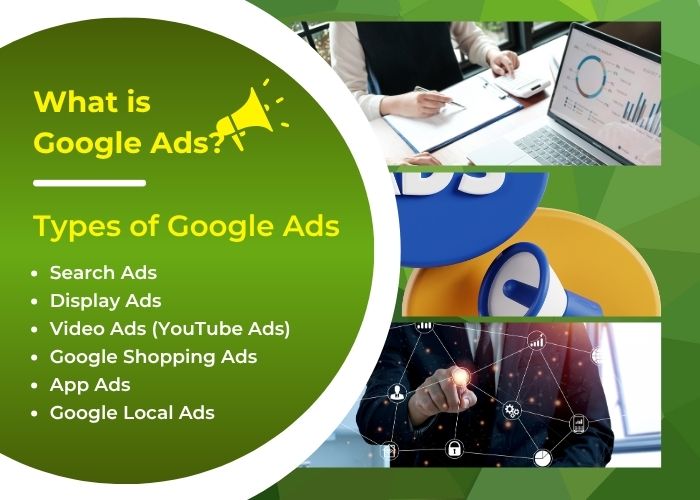
Main Types of Google Ads Campaigns
Google Ads provides several campaign types. Each one determines where advertisements may appear, which assets are required, and how targeting and bidding are managed. Google currently identifies Performance Max as a goal-based campaign that can access Google Ads inventory across multiple channels from one campaign.
1. Search Campaigns
Search campaigns primarily use text-based advertisements that can appear when users search for relevant terms on Google.
They are commonly used for:
- Lead generation
- Service inquiries
- Phone calls
- Online sales
- High-intent searches
Search campaigns can be effective when potential customers already know what they need and actively search for a solution.
Advantages
- Reach users with identifiable search intent
- Control keywords, locations, schedules, and budgets
- Review the search terms that triggered advertisements
- Measure clicks and conversions
Limitations
- Competitive keywords may have high click costs.
- Broad or poorly controlled targeting may generate irrelevant clicks.
- Search volume may be limited in specialized markets.
- Campaigns require ongoing search-term and negative-keyword management.
2. Performance Max Campaigns
Performance Max is a goal-based campaign type that can serve advertisements across multiple Google channels, including Search, YouTube, Display, Discover, Gmail, and Maps.
Advertisers provide assets such as:
- Headlines
- Descriptions
- Images
- Logos
- Videos
- Audience signals
- Product feeds when applicable
Google then uses automation to select placements, asset combinations, audiences, and bids based on the campaign objective.
Performance Max may be useful for advertisers with reliable conversion tracking and sufficient creative assets. It should not be treated as a campaign that can be launched and ignored.
3. Shopping Campaigns
Shopping campaigns are designed for retailers that want to promote products using information submitted through Google Merchant Center.
Product advertisements may display:
- Product image
- Product name
- Price
- Store or business name
- Ratings or promotional information when eligible
Shopping performance depends heavily on the quality and accuracy of the product feed.
Important areas include:
- Product titles
- Descriptions
- Images
- Prices
- Availability
- Product identifiers
- Landing-page consistency
- Merchant Center policy compliance
4. Display Campaigns
Display advertising uses visual and responsive assets on eligible websites and applications. It can support awareness or re-engagement, but a click from this environment may represent a different level of buying intent from a Search click.
Campaign availability is changing: Google is transitioning Display campaigns to Demand Gen with Google Display Network inventory. Eligible advertisers can encounter migration options; review the options and notices in your account rather than assuming every account follows the same rollout schedule.
When planning or migrating, confirm placement controls, creative requirements, conversion goals, and reporting. Do not assume that the previous campaign settings will produce identical results.
5. Video Campaigns
Video campaigns allow advertisers to promote video content on YouTube and other eligible Google video inventory.
Formats and objectives may support:
- Brand awareness
- Product consideration
- Website traffic
- Leads or sales
- Video views
- Audience remarketing
Video campaigns require suitable creative assets. A television-style advertisement is not always effective online; the opening seconds should communicate value quickly and clearly.
6. Demand Gen Campaigns
Demand Gen uses visual advertising to generate interest and action across eligible placements such as YouTube, Discover, Gmail, and the Google Display Network. Available channels and controls depend on the campaign setup.
Prepare suitable images or videos, a relevant offer, and a landing page that continues the message. Review channel choices and asset previews before launch, particularly when moving from a Display campaign.
Evaluate the campaign against its intended business outcome rather than comparing its clicks directly with high-intent Search traffic.
7. App Campaigns
App campaigns promote mobile applications across eligible Google properties.
Depending on the objective, they can support:
- Application installs
- In-app actions
- Pre-registration
- Re-engagement with existing users
Advertisers provide text, image, and video assets. Google automatically tests combinations and placements across supported networks.
8. Local Business Promotion
Businesses with physical locations can use Google Ads features and location assets to encourage actions such as:
- Calls
- Direction requests
- Website visits
- Store visits when measurement is available
Location-focused advertising may appear across Google Maps, Search, and other eligible inventory depending on campaign setup.
Local Services Ads are a separate Google product available only for eligible industries and locations. They should not be treated as identical to ordinary Google Maps advertising.
9. Smart Campaigns
Where available, Smart campaigns offer a simplified setup with more automated campaign management. Advertisers supply business details, location preferences, advertising text, keyword themes, and a budget.
Check the campaign options offered in your account. A simpler setup still requires accurate business information, a suitable destination, spending controls, and meaningful outcome measurement.
How to Choose the Right Campaign Type
Service inquiries: Search or Performance Max
Start with the customer journey. Confirm which inquiry actions count as success and how sales will assess them; reliable conversion measurement is especially important for automated bidding.
Online retail: Shopping or Performance Max
Prepare Merchant Center product data where required. Check prices, stock, product identifiers, and the consistency between the feed and landing pages.
Awareness and consideration: Video or Demand Gen
Choose an objective and appropriate visual assets. Review channel availability, including the Display transition, instead of selecting a format only because clicks appear inexpensive.
Mobile applications: App campaigns
Confirm the app destination, analytics, and the installation or in-app event you want to measure.
Local demand: Search or eligible location-focused formats
Verify business information, location assets, service coverage, and whether calls or visits can be measured. Availability varies by format and account.
Choose the smallest workable launch scope that tests your business objective. Adding every channel at once makes it harder to identify which part of the plan needs improvement.
What You Need Before Creating a Google Ads Campaign
Opening an account is easy. Building a campaign that can produce useful business data requires more preparation.
1. Define a Business Objective
A campaign should have a measurable purpose, such as:
- Generate quotation requests
- Receive qualified phone calls
- Sell products profitably
- Book appointments
- Increase application installations
- Drive visits to a physical store
“Get more clicks” is usually an incomplete business objective because not every click has equal value.
2. Prepare a Suitable Landing Page
The landing page should:
- Match the advertisement’s message
- Explain the product or service clearly
- Load quickly
- Work well on mobile devices
- Include visible contact or purchase options
- Provide relevant trust information
- Avoid misleading claims
3. Configure Conversion Measurement
Google recommends setting up conversion measurement so advertisers can measure important actions taken after people interact with their advertisements.
Possible conversions include:
- Completed purchases
- Form submissions
- Phone calls
- Appointments
- Application installations
- Qualified leads
- Offline sales imported from a CRM
Without accurate conversion tracking, automated bidding may optimize toward incomplete or misleading signals.
For standard goals, primary actions are used for bidding when the campaign uses that goal, while secondary actions are generally for observation. Custom goals are an exception: included actions can be used for bidding even if marked secondary. Review the actual goals selected by each campaign.
Test a form or purchase through the website and check that it is recorded once, with the expected value where relevant. Use tag diagnostics and controlled tests rather than clicking your own live advertisement. Keep test activity distinguishable from genuine customer outcomes.
4. Research Customers and Keywords
Understand:
- Who the customer is
- What problem they need to solve
- Which terms they use
- Where they are located
- What objections they have
- Which action they should take after clicking
5. Determine a Realistic Budget
The budget should reflect:
- Expected click costs
- Search volume
- Conversion rate
- Value of a lead or sale
- Required testing period
- Available sales capacity
How to Create a Google Ads Account
Use the setup flow shown in your account; screens and available options can vary. Prepare business details, access permissions, billing information, and measurement requirements before starting.
Step 1: Open Google Ads
Visit Google Ads and select the option to start or create an account.
Step 2: Sign in with a Google Account
You need a Google Account, but the login address does not necessarily need to end in @gmail.com. A Google Account can also be created using another email address.
For a business account, use an address controlled by the company rather than an employee’s private account.
Step 3: Enter Business Information
Google may request information such as:
- Business name
- Website
- Business location
- Advertising objective
- Contact details
Step 4: Confirm Country, Time Zone, and Currency
Check these settings carefully before completing account creation.
The selected country, time zone, and currency affect reporting and billing. Some account settings may be difficult or impossible to change later without creating another account.
Step 5: Add Authorized Users
Businesses should maintain ownership and administrator access to the account.
Agencies or employees should receive their own access rather than sharing one password.
Step 6: Configure Billing
Add the required payer information, tax details, and an eligible payment method.
Step 7: Set Up Conversion Tracking
Complete conversion tracking before relying on conversion-based bidding strategies.
How to Create a Basic Search Campaign
Step 1: Select the Campaign Objective
Google allows advertisers to choose an objective and then select an appropriate campaign type. The interface may recommend campaign types based on the chosen objective.
Common objectives include:
- Sales
- Leads
- Website traffic
- Awareness and consideration
- Application promotion
- Local store visits and promotions when eligible
Step 2: Choose Search as the Campaign Type
Select Search when you primarily want to reach people entering relevant queries into Google.
Step 3: Select Conversion Goals
Choose only the conversion actions that represent meaningful outcomes for the campaign.
Do not optimize a lead-generation campaign toward low-value actions such as every page view unless that is an intentional measurement strategy.
Step 4: Configure Campaign Settings
Campaign-level settings may include the budget, language, location, and distribution across Google networks.
Review:
- Campaign name
- Networks
- Locations
- Location options
- Languages
- Schedule
- Start and end dates
- Budget
- Bidding strategy
Location Targeting Note
Review location options against the real customer journey. A local repair business and a hotel accepting bookings from overseas may need different approaches. Location targeting uses signals rather than a guarantee of precise physical presence; check actual traffic and inquiry locations after launch.
Network Targeting Note
Beginners should review Search partners and Display Network settings carefully instead of accepting every default option. Different networks can produce different traffic behavior and should be measured separately.
Step 5: Choose a Bidding Strategy
Possible strategies depend on the campaign objective and account eligibility.
Common options include:
- Maximize Clicks
- Maximize Conversions
- Maximize Conversion Value
- Target CPA
- Target ROAS
- Manual CPC where available
Smart Bidding uses Google Ads conversion data and auction-time signals to optimize bids toward conversion-related objectives.
Automation works best when:
- Conversion tracking is accurate
- The selected conversion represents business value
- The campaign receives sufficient useful data
- The budget is appropriate for the objective
Step 6: Create Focused Ad Groups
Each ad group should contain closely related keywords and advertisements.
For example, an interior design company may create separate groups for:
- Office interior design
- Restaurant interior design
- Showroom interior design
Combining unrelated services in one group can reduce relevance and make performance analysis more difficult.
Step 7: Select Keywords and Match Types
Keyword match types help determine how closely a search must relate to the keyword.
The main types are:
- Broad match
- Phrase match
- Exact match
Match types do not always limit advertisements to the exact written phrase. Google may match searches according to meaning and intent.
Review the Search Terms report after launching the campaign and add negative keywords where necessary.
Step 8: Create Responsive Search Ads
Responsive Search Ads allow advertisers to submit multiple headlines and descriptions. Google can test different combinations depending on the search and user context.
An advertiser may provide up to 15 headlines and four descriptions.
Strong advertising assets should:
- Describe the service clearly
- Reflect the user’s intent
- Communicate meaningful benefits
- Include evidence or differentiators when appropriate
- Use an appropriate call to action
- Avoid unnecessary repetition
- Avoid claims that cannot be verified
Do not pin every headline or description unless a specific message must appear in a fixed position. Excessive pinning can reduce the combinations available for testing.
Step 9: Add Ad Assets
Ad extensions are now generally referred to as assets.
Useful assets may include:
- Sitelinks
- Callouts
- Structured snippets
- Call assets
- Location assets
- Image assets
- Price assets
- Promotion assets
- Lead-form assets when eligible
Assets provide additional information and may improve the visibility and usefulness of the advertisement.
Step 10: Review Before Publishing
Check:
- Final URLs
- Conversion tracking
- Locations
- Languages
- Networks
- Budget
- Bidding strategy
- Keyword match types
- Negative keywords
- Advertisement text
- Policy compliance
After publishing, Google reviews the advertisements and related assets. Campaigns may not begin serving immediately.
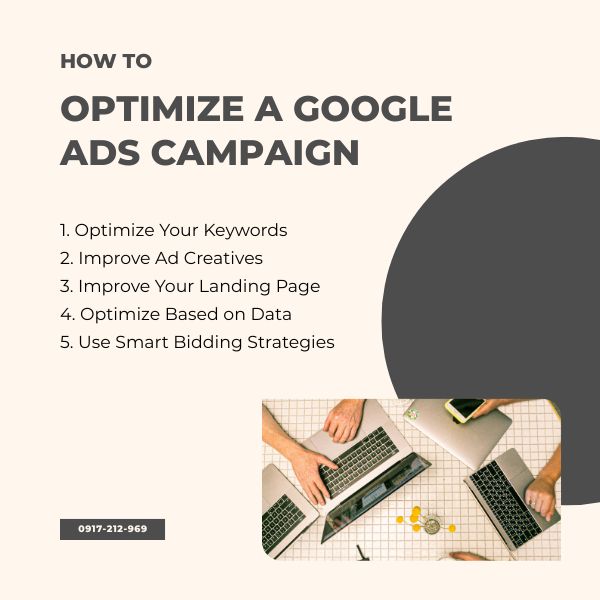
How to Optimize a Google Ads Campaign
1. Verify Conversion Tracking
Before changing bids or budgets, confirm that conversions are recorded accurately.
Check for:
- Duplicate conversions
- Missing form submissions
- Calls recorded incorrectly
- Test transactions included as real sales
- Incorrect revenue values
- Low-value actions included as primary goals
2. Review Search Terms
The Search Terms report shows actual queries associated with advertisements.
Use it to:
- Discover useful new keywords
- Find irrelevant traffic
- Add negative keywords
- Identify new customer questions
- Separate different search intentions
3. Improve Keyword Structure
Do not pause a keyword only because its click-through rate is lower than another keyword. Evaluate:
- Conversions
- Cost per conversion
- Lead quality
- Revenue
- Search intent
- Available data volume
4. Improve Advertisement Assets
Create distinct and useful headlines instead of repeating the same keyword in every position.
Use Ad Strength feedback to review the variety and relevance of your assets, then evaluate the actual campaign results. A stronger interface rating does not establish that an advertisement will generate profitable customers.
5. Improve the Landing Page
The landing page should match the advertisement and make the next action easy.
Review:
- Message relevance
- Loading speed
- Mobile usability
- Price and offer transparency
- Contact options
- Form length
- Trust signals
- Navigation
- Privacy information
6. Analyze Performance by Segment
Review results by:
- Device
- Location
- Time and day
- Audience
- Search term
- Landing page
- Network
- Conversion action
7. Evaluate Lead Quality
A campaign may report many conversions while generating poor-quality leads.
Connect advertising data with sales results where possible.
Useful information may include:
- Qualified leads
- Appointments attended
- Quotations issued
- Orders completed
- Revenue
- Reasons leads were rejected
8. Use Automated Bidding Carefully
Do not change targets, budgets, and conversion actions repeatedly within a short period. Frequent major changes can make performance difficult to evaluate.
Before using Target CPA or Target ROAS, confirm that the campaign has suitable conversion volume and reliable values.
9. Run Meaningful Experiments
Test one important hypothesis at a time where possible.
Examples include:
- Landing-page variation
- Bidding strategy
- Location scope
- Advertisement message
- Audience strategy
10. Control Budget Based on Business Results
Do not increase the budget simply because a campaign has a high click-through rate.
Consider:
- Cost per qualified lead
- Cost per sale
- Revenue
- Profit margin
- Customer lifetime value
- Sales capacity
Separate launch checks from performance decisions
Use a launch record with the approval date, budget, campaign goals, locations, final URLs, measurement test results, and the person responsible for review.
- Fix operational faults promptly: a broken checkout, duplicate purchase event, rejected ad, or payment failure needs investigation before drawing conclusions about demand.
- Assess performance over a suitable period: allow for conversion delays, the sales cycle, and the amount of usable data. A quiet morning does not establish that the campaign has failed.
- Record deliberate changes: note what changed, why, who approved it, and when you will evaluate it. Avoid changing the offer, page, targeting, and bidding simultaneously if you want to understand the effect.
Example: an appointment campaign shows form submissions, but the booking team receives none. First submit a controlled test and inspect form delivery and event firing. Increasing the budget before repairing this fault would make the reports harder to interpret.
Understanding Quality Score
Quality Score is a keyword-level diagnostic tool measured on a scale from 1 to 10 for Search campaigns. Google states that it is not a key performance indicator and is not a direct input in the ad auction.
Its three reported components are:
- Expected click-through rate
- Ad relevance
- Landing-page experience
Use Quality Score to diagnose possible relevance or experience problems. Do not treat a score of 10 as the main objective of a campaign.
A lower score does not automatically mean that a profitable keyword should be paused, and a higher score does not guarantee that the keyword will generate profitable conversions.
How Google Ads Billing Works
Google distinguishes between a payment setting, which determines when you pay, and a payment method, which determines what you use to pay.
Google Ads supports three main payment settings:
- Automatic payments
- Manual payments
- Monthly invoicing
Availability depends on the account’s billing country, currency, and eligibility.
1. Automatic Payments
With automatic payments, advertising costs accrue before collection. Check the billing summary for your payment threshold, scheduled charges, and outstanding balance; the timing of a payment is different from the date an advertising cost was incurred.
An advertiser may also be able to make an optional payment before the next automatic charge.
2. Manual Payments
With manual payments, the advertiser adds funds before advertisements run. Advertising costs are then deducted from the available balance.
Manual payments are not available in every country or for every account.
3. Monthly Invoicing
Monthly invoicing is generally available only to eligible businesses that meet Google’s requirements. The advertiser receives a line of credit and pays according to an invoice.
Payment Methods
Available payment methods vary by billing country and account. They may include eligible credit or debit cards, bank accounts, bank transfers, or other locally supported methods.
Use the eligible payment methods displayed in your own billing profile. A method supported in another country or account may not be available to your business.
How to Manage Billing
The current Google Ads interface provides billing pages for summaries, activity, invoices, settings, and payment methods. Depending on the payment setting, an advertiser may see options such as Add funds or Make an optional payment.
- Open the Google Ads account.
- Select the Billing section.
- Review the billing summary and account balance.
- Open Payment methods or Billing settings.
- Add or update an eligible payment method.
- Confirm payer, tax, and billing information.
Important Google Ads Best Practices
1. Follow Google Ads Policies
Advertisements, landing pages, products, targeting methods, and data collection must comply with applicable Google Ads policies.
Violations can lead to:
- Advertisement disapproval
- Restricted serving
- Merchant Center product disapproval
- Payment verification requests
- Account suspension
Do not create another account merely to bypass an existing suspension.
2. Protect Account Ownership
- The business should own the Google Ads account.
- Enable two-step verification.
- Assign access according to job responsibilities.
- Do not share one password with employees or agencies.
- Remove access when a person or agency no longer works on the account.
3. Monitor New Campaigns Without Overreacting
New campaigns should be reviewed regularly, especially for:
- Tracking errors
- Irrelevant search terms
- Unexpected location traffic
- Policy problems
- Broken landing pages
- Rapid budget consumption
However, avoid making large changes every day based on very small amounts of data.
4. Separate Brand and Non-Brand Traffic
People searching directly for the company name often behave differently from new customers searching for a product or service.
Separating these groups can make reporting and budget decisions clearer.
5. Use Negative Keywords
Use negative keywords to exclude searches that do not fit your offer or campaign objective. An informational query is not automatically irrelevant: assess its role in the customer journey before excluding it, and check that exclusions do not block useful demand.
6. Do Not Send Every Advertisement to the Homepage
Send users to the page that most closely matches the advertisement and search intent.
7. Measure Business Value, Not Only Clicks
Clicks and impressions are useful operational metrics, but the campaign should ultimately be evaluated against relevant business outcomes.
Common Google Ads Mistakes
- Launching campaigns without conversion tracking
- Using broad targeting without reviewing search terms
- Combining unrelated services in one ad group
- Sending all traffic to the homepage
- Accepting network or channel settings without checking their purpose and results
- Ignoring negative keywords
- Optimizing toward low-value conversions
- Changing budgets and bidding strategies too frequently
- Judging performance only by click-through rate
- Failing to review lead or sales quality
- Allowing an agency to retain sole ownership of the account
- Making unsupported or misleading claims in advertisements
Frequently Asked Questions About Google Ads
Is it free to create a Google Ads account?
Creating an account does not normally require an account-opening fee, but advertisers pay for campaign activity according to the selected campaign, bidding, billing, and payment settings.
How much does Google Ads cost?
There is no universal fixed cost. Spending depends on the budget, bidding strategy, competition, location, keywords, campaign type, and user response.
Do I need a website to run Google Ads?
Many campaign types require or benefit from a suitable website or application. Some local or lead-oriented formats may use other Google assets, but having a professional landing page usually provides greater control over messaging, measurement, and conversions.
How long does Google Ads take to produce results?
Advertisements can begin receiving traffic after campaign and policy review, but reliable performance assessment may require more time. The necessary period depends on conversion volume, budget, sales cycle, and campaign complexity.
Why are my Google Ads not showing?
Possible causes include limited budget, low Ad Rank, restrictive targeting, low search volume, advertisement review, policy disapproval, billing problems, scheduling, negative keywords, or an unsuitable bid.
Should I use Google Ads or SEO?
Google Ads can provide paid visibility quickly, while SEO builds organic visibility over time. Many businesses use both: advertising for immediate demand and testing, and SEO for longer-term search growth.
Should beginners use Smart Bidding?
Smart Bidding can be useful when conversion tracking and campaign goals are configured correctly. Automation cannot compensate for inaccurate tracking, poor landing pages, or unsuitable conversion goals.
Does a high Quality Score guarantee better campaign results?
No. Quality Score is a diagnostic indicator, not a business KPI or guarantee of profitability. Evaluate conversions, lead quality, revenue, and cost alongside quality diagnostics.
Can Google spend more than the average daily budget on one day?
Daily spending may vary as Google responds to traffic opportunities. Advertisers should review Google’s current budget and charging rules inside the account and monitor monthly spending rather than assuming every day will equal the exact average daily budget.
Build Google Ads Campaigns Around Measurable Business Goals
A useful Google Ads launch starts with an agreed offer, a defined audience, an authorized budget, and tested measurement. Campaign settings should support those decisions rather than replace them.
Before expanding, confirm that your team can explain where the spending went, which outcomes were recorded, and what happened after the inquiry or sale. Keep a clear change log and assign the next action to a named owner.
If you ask Viet SEO to help plan or manage a campaign, provide your website, target market, offer, available creative assets, and current measurement setup. Request an itemized proposal that separates advertising spend from setup, management, and any additional production work.




Questions & Comments
You can ask a question about this article. Viet SEO will review and reply after moderation.