Automated SEO Monitoring: Early Alerts and Incident Playbooks
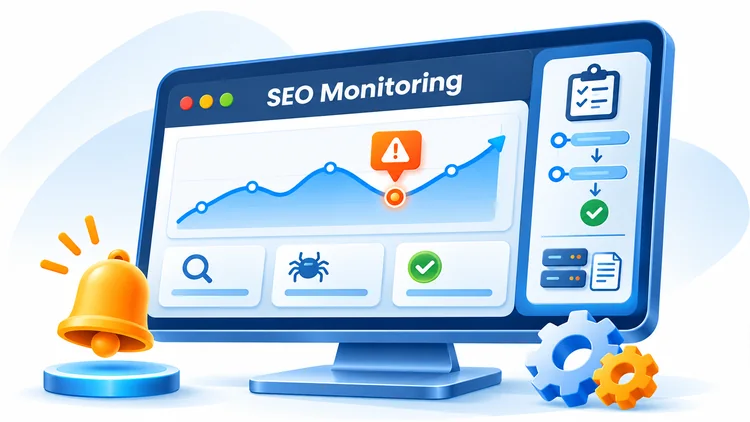
Automated SEO monitoring helps website owners spot technical failures early, understand changes in organic search performance, and respond with a documented incident playbook. An effective setup combines fast technical checks with slower-moving Search Console and analytics data. It also treats AI search visibility as a separate, sampled research metric rather than a guaranteed real-time signal.
What Is Automated SEO Monitoring?
Automated SEO monitoring is a scheduled process that gathers signals about website accessibility, crawlability, indexing, search performance, conversions, and page experience. The system evaluates those signals against agreed baselines and alerts the responsible team when a meaningful anomaly appears.
Automation does not replace investigation. A sudden change can be caused by a website release, tracking failure, seasonality, changes in search demand, or reporting delays. The purpose of the alert is to start an informed investigation, not to declare the cause automatically.
1. Prioritize the Metrics That Matter
| Monitoring area | Signals | Primary use |
|---|---|---|
| Availability | HTTP 200/3xx/4xx/5xx, response time, TLS certificate | Detect outages and broken pages quickly |
| Crawlability | robots.txt, XML sitemap, noindex, canonical, redirect chains | Detect accidental access and indexing barriers |
| Indexing | Indexed URL samples, Page indexing report, inspection results | Investigate sustained index changes |
| Search performance | GSC impressions, clicks, CTR, average position | Find affected queries and page groups |
| Business outcomes | GA4 organic sessions, key events, qualified leads | Assess commercial impact |
| Page experience | LCP, INP, CLS; lab and field measurements | Detect template and performance regressions |
| AI search research | Monitored answers, visible citations, referral sessions where identifiable | Track directional AEO/GEO visibility |
Important: LCP, INP and CLS are the current Core Web Vitals. FID is no longer the Core Web Vital responsiveness metric. Use field data to assess real-user experience and laboratory tests to debug individual releases.
2. Match Each Source to Its Actual Data Freshness
- HTTP probes and server monitoring: check selected endpoints every few minutes for immediate operational alerts.
- Server/CDN logs: inspect error rates, request patterns and verified crawler traffic. A user-agent string alone does not prove a request came from Googlebot.
- Google Search Console: review search performance and indexing trends. Standard finalized API data can lag by days; recent hourly data may be preliminary. Do not treat GSC as a minute-by-minute outage detector.
- GA4: analyze organic sessions and key events, taking consent settings, reporting latency and instrumentation changes into account.
- URL Inspection API: inspect Google's known index status of authorized URLs. It does not run a live page test or submit automatic indexing requests.
- CrUX, Search Console and PageSpeed Insights: distinguish aggregated real-user measurements from Lighthouse diagnostic runs.
- AI answer snapshots: periodically test the same question set, record platform, date, location and citations, and account for sampling variance.
Use separate dashboards for operational health and search outcomes. A healthy server can coexist with a search traffic decline, and delayed search reports should not mask a new 500 error.
3. Build Baselines Before Setting Alerts
Choose a stable period, commonly four to eight weeks when sufficient history is available. Segment data by weekday, country, device, page type and marketing activity where relevant. Record expected fluctuations, major campaigns, migrations and deployment dates.
For critical pages, create a fixed URL inventory covering the homepage, service pages, leading organic landing pages, forms and representative article templates. A small, well-maintained sample often provides faster and more actionable technical alerts than a noisy crawl of every URL every few minutes.
Example Alert Thresholds
| Signal | Illustrative trigger | Priority |
|---|---|---|
| Availability | Critical URL fails checks from two locations in succession | Critical |
| Server errors | Sustained 5xx rate above a site-specific limit | Critical |
| Unexpected noindex | New noindex directive on a key indexable template | Critical |
| Organic sessions | More than 20% below a matched baseline with adequate volume | Warning |
| GSC clicks/impressions | Material decline over comparable finalized reporting periods | Warning |
| Core Web Vitals | Meaningful worsening sustained across a template group | Warning |
| AI citations | Consistent movement across repeated controlled samples | Review |
These are starting examples, not universal SEO standards. Validate sensitivity, traffic volume and false-positive rates before enabling paging or urgent notifications.
4. Design Alerts That Tell Teams What to Do
Every alert should state the affected site and URL group, observed metric, expected baseline, size of deviation, timestamp and time zone, supporting evidence, assigned owner and first diagnostic action.
- Informational: include in a daily summary for routine maintenance.
- Warning: notify the SEO or technical owner and create a trackable issue.
- Critical: notify the on-call owner immediately for outages, security issues or large-scale accidental deindexing.
Add deduplication, a confirmation window, rate limits and a maintenance mode for planned releases. Otherwise alert fatigue can make important incidents easier to miss.
5. Build a Dashboard and Review Schedule
- Every 1–5 minutes: uptime, response time, selected 5xx rates and health checks from infrastructure or synthetic probes.
- Daily: GA4 organic sessions, key events, recent crawl errors, sampled URL checks and available GSC data.
- Weekly: page and query trends, indexing patterns, template-level Core Web Vitals and AI search snapshots.
- Monthly: alert accuracy, recurring root causes, business impact and improvements to the SOP.
Give executives a concise trend summary, SEO specialists query/page diagnostics, and developers server logs, deployment history and response-code detail. Display reporting freshness beside each widget.
6. Connect Monitoring to Website Releases
Before Publishing
- Record the deployment identifier, responsible person and affected templates.
- Compare canonical, robots directives, sitemap URLs, internal links and structured data with the previous version.
- Test critical URLs, primary forms and redirects in staging.
- Run Lighthouse and responsive checks on representative templates.
- Confirm a tested rollback method and a change log.
First 72 Hours After Publishing
In the first 24 hours, prioritize uptime, 4xx/5xx, form submissions and unintentional indexing directives. Over the following 24–72 hours, review available analytics and search trend signals without assuming that Search Console or field Core Web Vitals will have fully reflected the change. Keep monitoring beyond 72 hours when the data source needs a longer observation window.
7. Incident Response Playbooks
Playbook A: Outage or 5xx Spike
- Confirm the failure from more than one probe or network.
- Check recent deployments, origin health, CDN behavior and server logs.
- Apply the approved rollback or configuration fix.
- Verify critical URLs and forms, then record duration and impact.
Playbook B: Unexpected Indexing Decline
- Validate the trend and confirm that the report reflects a comparable time period.
- Inspect a representative sample of affected URLs for status codes, noindex, canonical and robots rules.
- Compare the sitemap and templates before and after recent releases.
- Fix confirmed problems; use the Search Console URL Inspection interface to request reindexing of a few important URLs when appropriate, or submit an updated sitemap for broader discovery.
- Monitor indexed status over subsequent days or weeks; reindexing is not immediate or guaranteed.
Playbook C: Organic Traffic or CTR Decline
- Check GA4 tracking, consent behavior, attribution and data completeness.
- Compare countries, devices, page groups and search queries using matched periods.
- Review demand seasonality, search appearance, recent site changes and possible ranking changes.
- Prioritize a fix only when a plausible technical or content cause is supported by evidence.
Playbook D: AI Citation Volatility
- Repeat the predefined questions and save full answers and cited URLs.
- Keep the same platform, account conditions and regional settings where possible.
- Distinguish answer variation from actual content changes or indexing problems.
- Document findings as directional observations, not a verified causal ranking effect.
8. AEO/GEO Monitoring Without Overclaiming
An operational AI visibility tracker can record whether a brand or domain is cited in a controlled sample of responses. Define the measured citation rate as responses that cite the domain divided by the total eligible responses in the sample. Keep prompt wording, sampling dates, platform and market visible in the report.
That metric is not a universal share of AI search visibility, nor does every citation produce a visit. Compare it with identifiable referral sessions and branded search trends, but do not automatically attribute their changes to AI citations. Avoid claiming that a particular schema type or metadata field guarantees AI citation.
9. Evidence, Resolution and Continuous Improvement
Maintain an incident record with an identifier, start time, detection source, affected URLs, severity, owner, investigation notes, deployed fix, validation evidence and closure time. For a major incident, add a root-cause analysis and one or more prevention tasks.
Close incidents based on the relevant evidence: a restored HTTP response may be confirmed in minutes, while recovered indexing, search impressions or field performance metrics may require substantially longer observation. Distinguish technical fix complete from search performance fully recovered.
10. Practical Implementation Checklist
- Identify critical templates, URLs and conversion paths.
- Define owners, severity levels and notification channels.
- Connect GSC and GA4 with appropriate access permissions.
- Configure uptime checks, server logs and technical crawls.
- Choose seasonally appropriate baselines and test alert thresholds.
- Document four incident playbooks and the rollback owner.
- Review pre-release and post-release verification results.
- Keep AI monitoring samples separate from real-time infrastructure alerts.
- Audit alerts and update thresholds monthly.
Frequently Asked Questions
Can Google Search Console provide real-time SEO alerts?
No. Search Console provides valuable search performance and indexing information, but its reports have collection and processing delays. Use infrastructure monitoring for immediate availability incidents and GSC for search diagnosis.
Which Core Web Vitals should be monitored?
Track Largest Contentful Paint (LCP), Interaction to Next Paint (INP) and Cumulative Layout Shift (CLS). Segment results by device and page template where useful.
Does the URL Inspection API automatically request indexing?
No. It reports Google's known index information for an authorized URL; it is not an indexing submission endpoint.
How often should AI citations be checked?
Use a consistent weekly or other documented cadence that fits the sample size and budget. An apparent change from only a few answers should not trigger an emergency action.
Conclusion: A dependable SEO monitoring system separates operational emergencies from delayed search data, connects clear alerts to accountable owners, and maintains evidence throughout the response process. Start with critical URLs and a few meaningful signals, then expand as the team demonstrates that alerts are accurate and actionable.
Editorial references: Google Core Web Vitals; Search Console data availability; URL Inspection API documentation.



Questions & Comments
You can ask a question about this article. Viet SEO will review and reply after moderation.