How Long Does Google Take to Index a New Website?
How long does it take Google to index a new domain, and what can website owners do to improve the process?
There is no guaranteed indexing timeline. Some new pages may appear in Google Search relatively quickly, while others may take longer to be discovered, crawled, rendered, evaluated, and added to the index. In some cases, a page may be crawled but not indexed at all.
This guide explains how Google discovers and processes a new website, which factors can delay indexing, how to check a URL correctly, and what practical steps can improve your website’s crawlability and indexability.
What Does Google Indexing Mean?
Google indexing is the process through which Google analyzes a page and may store information about it in its search index.
Before a page can appear in search results, several stages may occur:
- Discovery: Google learns that the URL exists through links, sitemaps, previous crawls, redirects, or other sources.
- Crawling: Googlebot requests the URL from the server.
- Rendering: Google processes the page and may execute JavaScript to understand the visible content.
- Indexing: Google analyzes the content, metadata, canonical signals, quality, and other information before deciding whether to store the page in its index.
- Serving and ranking: If indexed, the page may be considered for relevant searches.
These stages are related but not identical. A URL can be discovered without being crawled, crawled without being indexed, or indexed without ranking prominently.
How Long Does Google Take to Index a New Domain?
Google does not provide a fixed or guaranteed timeline for indexing a new domain.
A technically accessible website with useful content, clear internal links, and a valid sitemap may be discovered and processed relatively quickly. Other websites may take considerably longer, particularly when Google has difficulty accessing, rendering, evaluating, or understanding their pages.
The indexing timeline can vary by URL. The homepage may be indexed before deeper service pages, product pages, category pages, or articles.
It is also important to distinguish between:
- Indexing the first page: Google adds one or several URLs from the new domain to its index.
- Indexing the complete website: Google discovers and evaluates all important pages.
A domain appearing in Google does not mean every page has been indexed.
Why Is There No Fixed Indexing Timeline?
Google must decide which URLs to crawl, how frequently to revisit them, which version of a page is canonical, and whether the content is suitable for indexing.
The process may be influenced by:
- Whether Google can discover the URL
- Server availability and response speed
- HTTP status codes
- Robots directives
- Canonical signals
- Internal linking
- Content quality and uniqueness
- Duplicate or low-value URLs
- JavaScript rendering requirements
- Website size and update frequency
- External links and general page importance
No SEO company or hosting provider can guarantee that Google will index a page by a specific date. SEO work can remove obstacles and strengthen signals, but the final indexing decision belongs to Google.
The Difference Between Indexing and Ranking
Indexing means a page is eligible to appear in Google Search. Ranking determines where and when that page may appear for a particular query.
A newly indexed page may not receive impressions or clicks immediately. It may need stronger relevance, authority, content quality, internal links, external references, or time for Google to evaluate it across different searches.
Therefore:
- An indexed page is not guaranteed to rank.
- A page that does not appear for its target keyword may still be indexed.
- Improving indexing alone does not guarantee organic traffic.
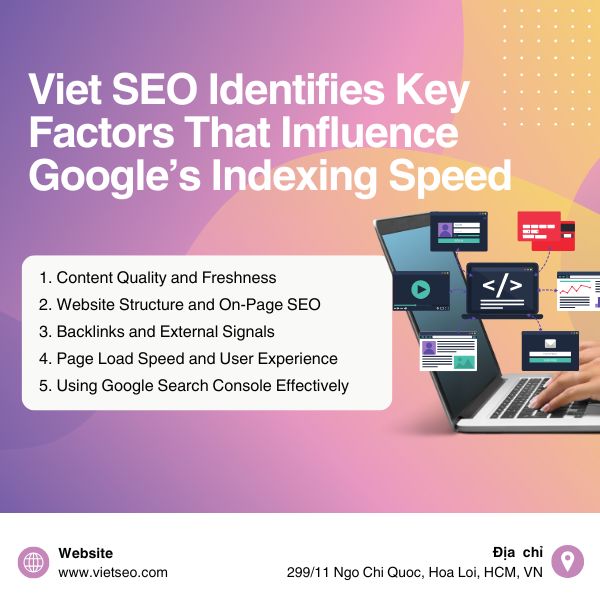
Factors That Affect Google Indexing
1. URL Discovery
Google cannot crawl a URL it does not know exists.
A page may be discovered through:
- An internal link from another crawlable page
- An XML sitemap
- An external link from another website
- A redirect from a known URL
- Google Search Console’s URL Inspection process
Important pages should not depend only on a sitemap. They should also be connected through crawlable HTML links within the website.
2. Internal Linking and Site Structure
A clear website structure helps Google understand which pages are important and how they relate to one another.
Recommended practices include:
- Link to important pages from the homepage or relevant category pages.
- Use descriptive anchor text.
- Avoid leaving valuable pages orphaned.
- Keep important content within a reasonable number of clicks from the homepage.
- Create logical relationships between pillar pages and supporting content.
An XML sitemap can assist discovery, but it does not replace a usable internal-link architecture.
3. HTTP Status Codes
An indexable page should generally return a successful 200 OK response.
Problematic responses may include:
3xx: The URL redirects elsewhere.401or403: Access is restricted.404or410: The page is unavailable or removed.429: The server is limiting requests.5xx: The server cannot process the request.
Repeated server errors can reduce crawling because Google attempts to avoid overloading an unstable server.
4. robots.txt and noindex Directives
Two common indexing problems are accidentally blocking crawling or instructing Google not to index a page.
Check:
- The website’s
robots.txtfile - The page’s robots meta tag
- The
X-Robots-TagHTTP header - CMS privacy or search-visibility settings
For example, this directive asks compatible search engines not to index the page:
<meta name="robots" content="noindex">
Do not block a page in robots.txt when Google needs to crawl it to detect a noindex directive.
5. Canonical Signals
When several URLs contain identical or substantially similar content, Google may group them and select one representative canonical URL.
A submitted page may not be indexed separately when Google considers another URL to be the better canonical version.
Review:
- The page’s
rel="canonical"tag - HTTP-to-HTTPS redirects
- WWW and non-WWW versions
- Trailing-slash variations
- URL parameters
- Internal links
- XML sitemap URLs
These signals should consistently reference the preferred version.
6. Content Quality and Usefulness
Technical accessibility does not guarantee indexing. Google may decide not to index pages that provide limited independent value.
Potential issues include:
- Thin pages with very little useful information
- Near-duplicate articles
- Copied manufacturer descriptions
- Automatically generated pages with no meaningful review
- Location pages that differ only by city name
- Search or filter pages with little independent value
- Placeholder pages
A new website should launch with complete, accurate, and useful pages rather than a large number of unfinished URLs.
7. JavaScript Rendering
Google can process JavaScript, but complicated client-side rendering can make content discovery and processing more difficult.
Check whether important content and links:
- Appear in the rendered page
- Load without user interaction
- Are available to Googlebot
- Do not depend on blocked scripts or APIs
- Use crawlable HTML anchor elements
Server-side rendering, static generation, or reliable pre-rendering may be appropriate for websites that depend heavily on JavaScript.
8. Server Performance and Availability
A slow page does not automatically prevent indexing. However, unstable response times, repeated timeouts, rate limits, and server errors can reduce Googlebot’s ability to crawl the website efficiently.
Website owners should monitor:
- Server response time
- Uptime
- CPU and RAM usage
- Error logs
- Firewall behavior
- CDN and caching configuration
9. Duplicate and Unnecessary URLs
Websites may unintentionally create many versions of the same content through:
- Tracking parameters
- Sorting and filtering
- Session IDs
- Print versions
- Calendar pages
- Tag and archive pages
- Uppercase and lowercase variations
Reducing unnecessary URL duplication allows Google to focus more effectively on important content.
10. External Links and Page Importance
Links from other websites can help Google discover a new domain or page. However, backlinks do not guarantee indexing and should not be treated as a substitute for technical accessibility and useful content.
Focus on earning relevant links through:
- Original research
- Helpful resources
- Industry partnerships
- Public relations
- Expert contributions
- Useful tools or templates
Avoid purchasing low-quality links or creating spam solely to trigger crawling.
How to Check Whether Google Has Indexed a Page
1. Use URL Inspection in Google Search Console
The URL Inspection tool is the most useful method for checking a specific URL that belongs to a verified Search Console property.
To inspect a page:
- Open Google Search Console.
- Select the correct property.
- Enter the complete URL in the inspection bar.
- Review the indexing and canonical information.
- Use the live test when you need to check the current page.
The report may show whether:
- The URL is indexed
- Crawling is allowed
- Indexing is allowed
- Google selected another canonical URL
- The page was crawled recently
- Google encountered a technical issue
2. Review the Page Indexing Report
The Page Indexing report provides a broader view of indexed and non-indexed URLs detected for the website.
Common categories may include:
- Discovered – currently not indexed
- Crawled – currently not indexed
- Duplicate without user-selected canonical
- Alternate page with proper canonical
- Excluded by
noindex - Blocked by
robots.txt - Not found
- Soft 404
- Server error
These statuses should be interpreted individually. Not every excluded URL needs to be indexed.
3. Use the site: Search Operator as a Quick Check
You can search:
site:example.com
or inspect a more specific URL:
site:https://example.com/example-page/
This can provide a quick indication that some pages are appearing in Google Search.
However, the site: operator is not a complete indexing report. It may not show every indexed URL and should not be used to count the exact number of indexed pages.
Use Search Console for reliable diagnosis.
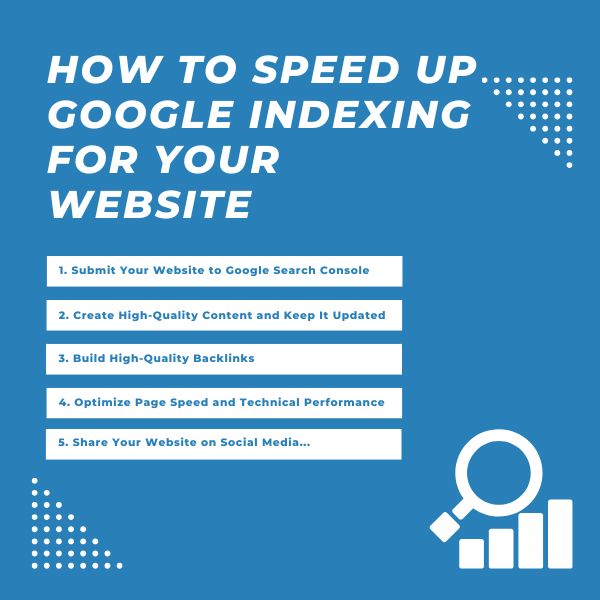
How to Help Google Discover and Index a New Website
1. Verify the Website in Google Search Console
Add and verify the website as early as possible.
A Domain property can provide coverage across:
- HTTP and HTTPS
- WWW and non-WWW
- Relevant subdomains
Search Console helps identify crawling, indexing, canonical, performance, and enhancement issues.
2. Create and Submit an XML Sitemap
An XML sitemap helps Google discover important pages and understand which URLs the website owner prefers.
A clean sitemap should generally include URLs that are:
- Canonical
- Indexable
- Accessible with a successful response
- Important enough to appear in search
Avoid including:
- Redirected URLs
noindexpages- Broken URLs
- Duplicate parameter variations
- Staging URLs
Use an accurate <lastmod> value when the page has been meaningfully updated. Do not change modification dates automatically when the content has not changed.
3. Use URL Inspection for Important New Pages
After publishing a high-priority page, inspect it in Search Console and use the indexing request option when appropriate.
This may help Google learn that a page is new or updated, but it does not:
- Guarantee crawling
- Guarantee indexing
- Guarantee immediate processing
- Guarantee ranking
Do not repeatedly submit the same unchanged URL. Fix underlying problems when the page remains unindexed.
4. Create Crawlable Internal Links
Link to new content from relevant indexed pages.
For example:
- Link a new service page from the main service section.
- Link a new article from a topic pillar.
- Add relevant articles to category pages.
- Use breadcrumbs and related-content sections.
Use standard crawlable links such as:
<a href="https://example.com/new-page/">Descriptive anchor text</a>
5. Launch With Complete and Useful Content
Avoid launching hundreds of incomplete pages with placeholder text.
Priority pages should clearly explain:
- What the business offers
- Who the service or product is for
- How it works
- What differentiates it
- How customers can take the next step
Support important claims with real examples, specifications, policies, pricing details, research, or professional experience where appropriate.
6. Check Robots and Canonical Settings
Before launch, confirm that production pages are not using restrictions copied from a development or staging environment.
Check for:
Disallow: /inrobots.txt- Site-wide
noindex - Canonicals pointing to a staging domain
- Password protection
- Firewall blocks
- Incorrect hostname redirects
7. Fix Server and Rendering Errors
Use URL Inspection, browser developer tools, server logs, and crawling software to check whether important resources load correctly.
Pay particular attention to:
- Server errors
- Timeouts
- Blocked JavaScript
- Missing CSS
- Content loaded only after interaction
- Broken APIs
- Incorrect mobile rendering
8. Earn Legitimate Mentions and Links
Relevant external links can assist discovery and build authority over time.
Appropriate methods include:
- Publishing original research
- Creating useful industry resources
- Announcing the website to existing partners or customers
- Maintaining accurate business profiles
- Contributing genuine expert insight to publications
Submitting URLs to random directories, low-quality forums, or automated link networks is not a sustainable indexing strategy.
9. Maintain a Stable and Responsive Server
Ensure the hosting environment can serve pages consistently to both visitors and search crawlers.
Review:
- Uptime monitoring
- Server response times
- Rate limiting
- Firewall rules
- CDN configuration
- Database performance
- Error logs
10. Publish and Update Content for a Real Purpose
Publishing new content every day does not automatically improve indexing.
Create or update a page when it:
- Answers a genuine user question
- Adds useful new information
- Corrects outdated guidance
- Supports an important topic cluster
- Improves a customer journey
Changing dates or making superficial edits solely to appear fresh does not provide meaningful value.
What Does “Discovered – Currently Not Indexed” Mean?
This status generally means Google knows the URL exists but has not yet crawled it, or has postponed crawling it.
Possible reasons include:
- The website has many low-value or duplicate URLs.
- The page has weak internal linking.
- The server has limited capacity or instability.
- Google has low crawl demand for the URL.
- The website generates more URLs than Google needs to crawl.
Recommended actions:
- Confirm the page should be indexed.
- Improve internal links.
- Remove unnecessary duplicate URLs.
- Check server stability.
- Keep the sitemap accurate.
- Improve the page’s independent value.
What Does “Crawled – Currently Not Indexed” Mean?
This status generally means Google accessed the page but did not add it to the index at that time.
Possible causes include:
- Thin or generic content
- Strong similarity to another page
- Weak or conflicting canonical signals
- Soft 404 characteristics
- Low independent value
- Temporary processing decisions
Do not simply resubmit the URL repeatedly.
Instead:
- Compare the page with existing indexed pages.
- Check its canonical URL.
- Improve original information and usefulness.
- Remove repetitive sections.
- Add relevant internal links.
- Confirm that the page serves a distinct search intent.
Common Reasons a New Website Is Not Indexed
- The domain is new and Google has not discovered it.
- The website is blocked in
robots.txt. - Pages contain a
noindexdirective. - The server returns errors or times out.
- Canonical tags point to another domain or URL.
- The website is still password-protected.
- Important pages have no internal links.
- The sitemap contains broken or noncanonical URLs.
- The content is thin, duplicated, or unfinished.
- JavaScript prevents Google from seeing the main content.
- The page behaves like a soft 404.
- Google selected another URL as the canonical version.
- The website generates excessive filter or parameter URLs.
For a more detailed diagnosis, review why Google does not index a website.
Does Page Speed Help Google Index Pages Faster?
Improving server performance can help Google crawl a website more efficiently, especially when the existing server is slow, unstable, or frequently returns errors.
However, faster loading does not force Google to index a low-quality page.
Page speed work should focus on both users and technical reliability:
- Improve server response time.
- Compress and resize images.
- Cache static resources.
- Reduce unnecessary JavaScript.
- Use a CDN when appropriate.
- Fix database bottlenecks.
- Prevent repeated
5xxand429responses.
Does Sharing on Social Media Speed Up Indexing?
Sharing a page can increase visibility and may lead to visits, mentions, or links. However, social shares are not a guaranteed indexing mechanism.
Use social media because it helps reach the intended audience, not because every share automatically sends a direct indexing signal to Google.
Does Every Website Need Crawl Budget Optimization?
Most small and medium websites do not need advanced crawl-budget management.
Crawl budget becomes more important for websites with:
- Very large numbers of URLs
- Rapidly changing inventories
- Extensive filters and parameters
- Many duplicate or low-value URLs
- Large numbers of pages marked “Discovered – currently not indexed”
For a typical business website, priorities should include:
- A clean sitemap
- Logical internal links
- Stable hosting
- Useful content
- Correct canonical and robots settings
- Regular Search Console monitoring
New Domain Indexing Checklist
Technical Checks
- The website loads publicly over HTTPS.
- Important pages return
200 OK. - Googlebot is not blocked.
- Important pages do not contain
noindex. - Canonical tags point to the correct live URLs.
- WWW and non-WWW versions redirect consistently.
- HTTP redirects to HTTPS.
- The website works on mobile devices.
- Important content is visible after rendering.
- The server does not repeatedly return errors.
Content and Structure Checks
- The homepage explains the website clearly.
- Important service, product, or category pages are complete.
- Each indexable page serves a distinct purpose.
- Important pages have internal links.
- There are no unnecessary duplicate pages.
- Titles and headings accurately describe each page.
- Contact and business information is clear.
Search Console Checks
- The website property is verified.
- The XML sitemap is submitted.
- Important URLs are inspected.
- Page Indexing issues are reviewed.
- Canonical information is correct.
- No unexpected manual action or security issue is present.
Frequently Asked Questions About Google Indexing
Can Google Index a New Website in One Day?
It is possible for Google to discover and index one or more pages quickly, but there is no guarantee. The time depends on discovery, technical accessibility, content evaluation, canonical signals, and Google’s crawling systems.
Does Submitting a Sitemap Guarantee Indexing?
No. A sitemap helps Google discover and prioritize URLs for crawling, but it does not guarantee that every submitted page will be crawled, indexed, or ranked.
Does “Request Indexing” Work Immediately?
No. The tool submits a request for Google to reconsider the URL. Processing may take time, and Google may still decide not to index the page.
How Often Should I Request Indexing?
Use the feature for important new or meaningfully updated pages. Repeatedly submitting an unchanged URL is unlikely to solve technical, canonical, or content-quality problems.
Why Is My Homepage Indexed but Other Pages Are Not?
Google may discover the homepage first because it receives the most links. Deeper pages may lack internal links, appear in an inaccurate sitemap, contain duplicate content, use conflicting canonicals, or require more time to be evaluated.
Can a Page Be Indexed Without Being in the Sitemap?
Yes. Google can discover a page through internal or external links. A sitemap is a discovery aid, not a requirement for every indexable page.
Can a Page in the Sitemap Remain Unindexed?
Yes. Sitemap inclusion does not override content quality, canonical selection, robots directives, HTTP errors, or Google’s indexing decisions.
Should Every Page on a Website Be Indexed?
No. Login pages, internal search results, shopping-cart URLs, duplicate filters, account pages, and other low-value utility pages may not need to appear in search results.
Can Backlinks Guarantee Indexing?
No. Links can help Google discover a page and understand its importance, but they do not guarantee indexing. The destination page must still be accessible, indexable, and useful.
When Should I Contact an SEO Specialist?
Professional review may be useful when:
- Important pages remain unindexed for an extended period.
- Search Console reports widespread crawling or canonical problems.
- The site uses complex JavaScript rendering.
- The website contains thousands of parameter or filter URLs.
- A migration caused pages to disappear from Google.
- Server logs show repeated crawler errors.
- The website has security or manual-action issues.
Conclusion
There is no fixed period in which Google must index a new domain. Google first needs to discover, crawl, render, and evaluate each page, and not every accessible URL will necessarily be added to the index.
Website owners can improve the process by:
- Verifying the site in Google Search Console.
- Submitting a clean XML sitemap.
- Creating crawlable internal links.
- Publishing complete and useful content.
- Checking robots, canonical, and HTTP status signals.
- Maintaining a stable and responsive server.
- Removing unnecessary duplicate URLs.
- Using URL Inspection to diagnose important pages.
Indexing should not be treated as a one-time submission task. It is the result of a website being technically accessible, logically organized, useful to visitors, and consistently maintained.
Viet SEO helps businesses investigate indexing problems through technical crawling, Search Console analysis, sitemap and canonical review, JavaScript rendering checks, internal-link optimization, content evaluation, and server diagnostics.
Although no SEO provider can guarantee a specific indexing date, a structured technical and content review can remove common obstacles and give important pages the strongest possible opportunity to be discovered and indexed correctly.



Questions & Comments
You can ask a question about this article. Viet SEO will review and reply after moderation.