How to Get Your Website on Google and Improve Rankings
Your new website is live. Before marking the project complete, ask for evidence that its important pages can be reached, understood, and monitored in search. A polished homepage and a submitted sitemap do not establish all three.
This guide treats getting a website on Google as a search-readiness handover: what to ask your developer, what your content team must supply, and how to follow up without confusing indexing with commercial success.
What should search-readiness work cost and include?
This article contains no fixed service prices. Ask for a quotation tied to named deliverables. Check what is already included in your development or maintenance contract before commissioning overlapping work.
Launch checks
Define the representative URLs, access tests, redirects, indexing directives, sitemap, and recorded findings. Confirm who implements repairs.
Priority page preparation
Specify service, product, or category pages, supplied content, editing quantities, and internal-link changes.
Measurement handover
Agree on account access, baseline reports, meaningful actions, and checks against actual enquiries or orders.
Post-launch review
Define follow-up dates, included fixes, reporting, and any separate ongoing SEO, content, or maintenance scope.
Record taxes, tool fees, content production, licensing, exclusions, and change-request charges. There is no paid guarantee of indexing or organic placement; a proposal should price the work performed and explain the limits of expected outcomes.
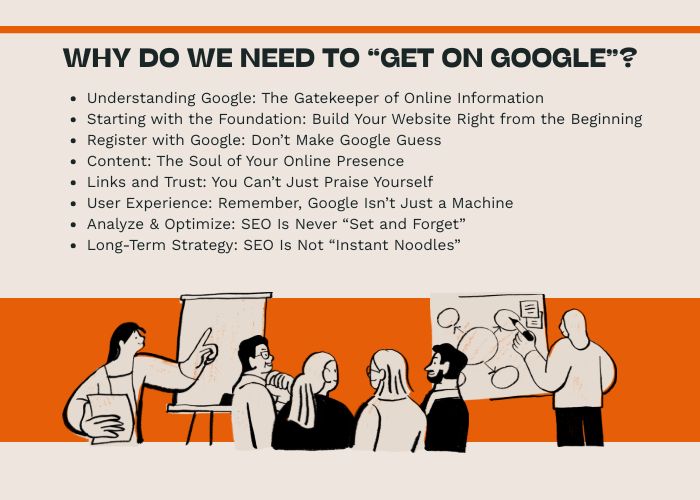
Why Do Businesses Need to Appear on Google?
Search can introduce a business to people asking relevant questions. Define which questions matter before assessing success: finding the company, comparing a service, choosing a product, or locating a provider in a genuine service area.
Choose a destination page for each priority need. A report that only shows the homepage for a brand search does not establish visibility for the services potential customers are comparing.
What Does “Getting on Google” Actually Mean?
Separate the handover into distinct outcomes:
- Access: important URLs and their content can be retrieved.
- Discovery: pages are linked and included in appropriate discovery signals.
- Indexing: Google’s reported status is checked for selected URLs; inclusion is not guaranteed.
- Visibility: the pages receive impressions or clicks for relevant queries.
- Business use: visitors find answers and can complete a useful action.
Record which outcome has been verified, which remains uncertain, and who owns the next step. Do not mark the entire search project complete because one URL appears.
How Google Discovers and Processes Web Pages
Google Search generally processes website content through three main stages: crawling, indexing, and serving search results.
1. Crawling
Google uses automated programs, commonly called crawlers, to discover pages and follow links across the web.
Google may discover a page through:
- Links from other indexed pages.
- Internal links within the website.
- An XML sitemap.
- A URL submitted through Google Search Console.
- Other publicly accessible references.
Crawling only means that Google attempted to access the page. It does not guarantee indexing or ranking.
2. Indexing
After accessing a page, Google analyzes its content, structure, media, links, and technical signals.
Google may then choose to include the page in its search index. A page may not be indexed when it is:
- Blocked by technical settings.
- Marked with a noindex directive.
- A duplicate of another page.
- Very thin or low in unique value.
- Inaccessible because of server or rendering problems.
- Canonicalized to another URL.
- Discovered but not yet processed.
3. Ranking and Serving Results
When someone searches, Google evaluates pages that may satisfy the query and determines which results to display and in what order.
The result can vary according to factors such as:
- The meaning and intent of the search.
- The relevance and usefulness of the content.
- The quality and credibility of the page and website.
- Location and language.
- Mobile usability and technical accessibility.
- The freshness required by the query.
- The overall search environment and competition.
There is no single setting that guarantees a top position. Ranking comes from many signals working together.
How to Check Whether Your Website Is on Google
Make a small review list containing the homepage and representative service, product, category, and information pages. For each, record the exact URL, purpose, intended indexing state, and date checked.
A site:yourdomain.com search is a quick indication, not a complete inventory or a count to use for acceptance. Use the available URL-level and indexing reports in Search Console to investigate specific pages.
Distinguish a test of the current page from information about Google’s previously processed version. After a change, a successful access test does not prove that the search index has already changed.
Build an SEO-Friendly Website Foundation
SEO is easier and more sustainable when technical requirements are considered from the beginning.
Choose a Suitable Website Platform
Evaluate the proposed platform through the controls available in your actual implementation. Ask the developer to demonstrate the required editing and indexing features rather than relying on an “SEO-friendly” label.
The platform should allow the business to manage:
- Page titles and meta descriptions.
- Readable URLs.
- Heading structures.
- Image alternative text.
- Canonical tags.
- XML sitemaps.
- Redirects.
- Structured data where appropriate.
- Indexing controls.
No platform is automatically SEO-friendly in every implementation. Themes, plugins, code quality, hosting, content, and configuration still matter.
Use HTTPS
HTTPS encrypts data in transit between the browser and server. A valid certificate does not by itself establish that the business or all of the website’s content is trustworthy.
The SSL certificate should be valid, and the website should consistently redirect users from HTTP to HTTPS versions.
Create a Logical URL Structure
URLs should be concise, descriptive, and organized consistently.
For example:
https://example.com/services/website-seo/
is generally easier to understand than:
https://example.com/page.php?id=287&cat=14
URLs do not need to contain every keyword. Their main purpose is to provide a stable and understandable page address.
Build Clear Site Navigation
Important pages should be accessible through navigation and contextual internal links.
A clear website structure helps:
- Users find information.
- Search engines discover important pages.
- The website distribute internal authority.
- Businesses organize future content.
A typical structure may include:
- Homepage.
- Product or service categories.
- Individual product or service pages.
- About the company.
- Projects or case studies.
- Articles or resources.
- Frequently asked questions.
- Contact page.
Make the Website Crawlable and Indexable
Google cannot index important content if technical settings prevent access.
Create an XML Sitemap
An XML sitemap lists important URLs that the website wants search engines to discover.
A sitemap is especially useful for:
- New websites.
- Large e-commerce platforms.
- Websites with many pages.
- Sites with limited external links.
- Websites containing video, image, or news content.
The sitemap should contain canonical, indexable URLs and should be updated when important pages are added or removed.
Configure Robots.txt Carefully
The robots.txt file provides crawling instructions for automated bots.
It may be used to discourage crawling of areas such as:
- Internal search-result pages.
- Temporary folders.
- Administrative areas.
- Unnecessary parameter-based URLs.
However, robots.txt should not be used carelessly. Blocking a page from crawling does not always remove it from Google, and blocking important CSS or JavaScript files may prevent proper rendering.
Review Noindex Directives
A noindex directive tells search engines not to include a page in search results.
This can be appropriate for:
- Thank-you pages.
- Publicly accessible account-related pages when appropriate; confidential content requires authentication, not just noindex.
- Internal search results.
- Temporary campaign pages.
- Duplicate or low-value system pages.
Important product, service, category, and informational pages should not contain noindex directives unless there is a deliberate reason.
Use Canonical Tags Correctly
Canonical tags indicate the preferred version of pages that contain identical or very similar content.
They are particularly important for:
- E-commerce filters.
- Product variations.
- Tracking parameters.
- Duplicate category paths.
- Printer-friendly or alternate versions.
Canonical tags express a preferred version; they are not a guaranteed selection instruction. Review their consistency with redirects, links, sitemap URLs, and actual content. A crawl block can also prevent Google from reading page-level directives.
Set Up Google Search Console
Keep ownership and recovery access with the business, and give collaborators the permissions needed for their role. Record who checks indexing, search performance, and relevant alerts after launch.
The handover should identify the property used, sitemap submitted, sample URLs inspected, current findings, and unresolved issues. Reports describe observed status; creating an account, sending a sitemap, or requesting indexing does not guarantee inclusion or a ranking.
Agree on what happens when a report changes: who investigates, which developer can implement a fix, and whether follow-up work is included in the project.
Improve Website Speed and Performance
Fast and stable pages improve user experience and help visitors access content more conveniently.
Performance problems may be caused by:
- Large images.
- Slow hosting.
- Excessive plugins.
- Heavy JavaScript.
- Unoptimized databases.
- External fonts and tracking scripts.
- Poor caching configuration.
- Complex themes or page builders.
Practical Speed Improvements
- Resize images before uploading them.
- Compress images and use appropriate modern formats.
- Enable browser and server caching.
- Remove unused plugins and scripts.
- Reduce unnecessary CSS and JavaScript.
- Optimize database queries.
- Use reliable hosting.
- Apply a CDN when it provides meaningful value.
- Monitor Core Web Vitals and real-user performance.
There is no universal loading-time target suitable for every website. The priority should be to make important pages as fast and responsive as reasonably possible for actual users.
Optimize the Website for Mobile Users
Many searches are performed on mobile devices. A website must therefore allow users to read content, navigate pages, complete forms, and make purchases conveniently on smaller screens.
Mobile optimization should include:
- Readable text.
- Appropriate button and link sizes.
- Simple navigation.
- Responsive images.
- Convenient forms.
- Usable product filters.
- Stable page layouts.
- Fast loading performance.
- Consistent content between mobile and desktop versions.
Responsive design should not merely shrink a desktop layout. Important content and actions may need to be reorganized for mobile behavior.
Create Content That Matches Search Intent
The content team should own the answer, not just supply text to fill a layout. For each priority page, prepare:
- The customer question and the decision the page supports.
- Facts about the product or service, including limits, price or quotation process, and policies where relevant.
- Evidence you are entitled to publish: real examples, accurate specifications, sources, or genuine reviews.
- A clear next step and links to supporting information.
For example, an equipment supplier’s product page might provide dimensions, compatibility, documentation, and a quotation form. A separate guide can explain how to choose the right specification. Each page needs its own role rather than repeating the same sales copy.
Do not create more pages simply to increase the count. Consolidate or differentiate overlapping pages only after reviewing existing traffic, links, and URL implications.
Demonstrate Experience, Expertise, and Trust
Users need reasons to trust the information and the business behind it.
Trust-building elements may include:
- Clear company information.
- Author names and relevant biographies.
- First-hand experience.
- Real project examples.
- Accurate contact information.
- Transparent policies.
- References to reliable sources.
- Original images or supporting evidence.
- Customer reviews where appropriate.
- Clear update dates for time-sensitive content.
E-E-A-T—experience, expertise, authoritativeness, and trust—is a useful framework for evaluating content quality. It should not be treated as a single technical score or a shortcut to rankings.
Optimize On-Page SEO
On-page SEO helps users and search engines understand what each page is about.
Write Clear Title Tags
The title tag should accurately describe the page and, where appropriate, include the primary topic naturally.
It should be useful and compelling without exaggeration or keyword repetition.
Write Useful Meta Descriptions
A meta description can summarize the page and encourage relevant users to click.
Google may rewrite the displayed snippet according to the search query, but a well-written description still provides useful context.
Use Logical Heading Structures
Headings divide content into understandable sections.
The page should normally contain:
- One clear primary heading.
- H2 headings for major sections.
- H3 headings for subsections.
Headings should describe content rather than being used only for visual styling.
Optimize Images
Images should use:
- Appropriate dimensions.
- Compressed file sizes.
- Descriptive filenames.
- Accurate alternative text for meaningful images.
- Lazy loading where suitable.
Build Effective Internal Links
During handover, try to reach each important page through normal navigation and useful contextual links. A page listed only in a sitemap may still be difficult for customers to discover.
Use labels that describe the destination. Connect guides to the products or services they explain, categories to relevant items, and decision pages to policies or evidence. Avoid adding unrelated links to satisfy a numeric quota.
Earn Relevant Backlinks and Mentions
Links from other websites can help search engines discover content and evaluate its prominence. However, link quality, relevance, and context are more important than raw quantity.
Legitimate ways to earn links may include:
- Publishing original research or useful resources.
- Creating industry guides.
- Contributing expert insights to reputable publications.
- Developing partnerships with relevant organizations.
- Publishing case studies.
- Creating tools, templates, or data people want to reference.
- Participating in legitimate industry directories.
Businesses should avoid buying large volumes of low-quality links, participating in link schemes, or using automated spam. These activities may create risk without producing sustainable value.
Optimize Local Visibility on Google
Businesses serving specific cities or regions should include local SEO in their strategy.
Create and Manage a Google Business Profile
An eligible local business can use a Google Business Profile to provide:
- Business name.
- Address or service area.
- Telephone number.
- Opening hours.
- Website link.
- Business category.
- Photos.
- Customer reviews.
Create Useful Local Pages
Businesses serving multiple locations may create location pages when each page contains genuine, location-specific value.
Useful local information may include:
- Available services.
- Service areas.
- Local contact details.
- Projects completed in the area.
- Directions or appointment information.
- Customer questions specific to the location.
Businesses should avoid creating many nearly identical city pages with only the location name changed.
Improve User Experience and Conversions
SEO should bring relevant visitors to the website, but the website must also help those visitors complete meaningful actions.
User-experience improvements may include:
- Clear navigation.
- Readable typography.
- Logical page structure.
- Visible calls to action.
- Short and understandable forms.
- Complete product or service information.
- Trust-building evidence.
- Clear delivery, payment, return, or warranty policies.
- Consistent mobile functionality.
Metrics such as bounce rate, engagement time, and clicks can help businesses understand user behavior. However, they should not be presented as simple direct ranking factors.
The primary purpose of improving UX is to serve users and business goals more effectively.
Measure SEO Performance
Prepare a baseline your team can use after launch:
- Technical status: representative URLs, access errors, intended indexing state, and unresolved issues.
- Search performance: queries, landing pages, impressions, and clicks over a recorded period.
- Visitor actions: valid enquiries, bookings, and completed orders, with consistent definitions.
- Change log: releases, content changes, redirects, promotions, and tracking changes.
Exclude test data, prevent duplicate purchase records, and reconcile important actions with business systems. A phone click is not a completed call or a qualified lead.
Compare like-for-like periods and segments where practical. Search demand, advertising, pricing, consent settings, and seasonality may change the figures; a rise after a release alone does not prove causation.
Update and Improve Existing Content
Assign a factual owner to important pages: who confirms service areas, prices, product details, policies, and time-sensitive claims? Update when the information or customer need changes, then record what changed and why.
Before removing, merging, or renaming a page, review its role, links, and existing search activity. Plan redirects where appropriate and update internal references. Changing the date without improving the information is not a content strategy.
Why Is a Website or Page Not Indexed?
Investigate one intended indexable URL at a time:
- Confirm the exact final URL and whether public access is intended.
- Check retrieval, response status, and whether the important content is available.
- Review crawl rules, page-level noindex, and relevant response headers together.
- Check canonical preferences against the content, links, sitemap, and redirects.
- Verify useful internal links and a distinct purpose for the page.
- Correct confirmed issues, document the change, and use the available inspection or indexing request workflow when appropriate.
Some exclusions are intentional. A blocked crawl is not the same as a reliable removal request, and private data needs access control. Repeated requests do not guarantee indexing or replace investigation.
Common Mistakes When Trying to Rank on Google
- Treating a submitted sitemap as proof that every page is indexed.
- Using a search-result count as a complete technical audit.
- Removing crawl restrictions without checking what should remain private or excluded.
- Changing URLs or templates without recording redirects and affected pages.
- Publishing repetitive content to meet a daily quota.
- Measuring clicks while leaving enquiries or orders unverified.
- Buying ranking promises instead of defined deliverables.
How Long Does It Take to Rank on Google?
Separate implementation dates from search outcomes. A developer can agree when a correction will be delivered and tested; that does not set a date for Google to process it or award a position.
Use milestones your team can verify: access fixed, page completed, discovery links added, directives reviewed, reporting configured, and follow-up performed. Rankings still depend on relevance, competing pages, and search systems, so no universal timeline applies.
Combine SEO with a Broader Marketing Strategy
Choose other channels according to the immediate business need and budget. Advertising, email, social activity, referrals, and search can serve different audiences and stages.
Agree on shared landing pages, factual claims, measurement definitions, and campaign ownership. Paid placement is a separate channel and does not purchase a higher organic position.
Combine SEO with Brand Development
Search visibility is more valuable when users recognize and trust the business.
Brand development may include:
- A consistent visual identity.
- A recognizable communication style.
- Clear positioning.
- Original content and perspectives.
- Customer reviews and case studies.
- Consistent information across online channels.
- Reliable customer service.
SEO can help people discover a business, while branding gives them a reason to remember and choose it.
Frequently Asked Questions About Getting a Website on Google
Does Google Automatically Index Every New Website?
No. Google may discover a website through links, sitemaps, or other signals, but it does not guarantee that every page will be crawled or indexed.
Businesses should make important pages accessible, create internal links, submit an XML sitemap, and monitor indexing through Google Search Console.
Is Submitting a Sitemap Enough to Rank?
No. A sitemap helps Google discover URLs, but it does not guarantee indexing or rankings.
The pages still need to be accessible, useful, relevant, and technically suitable for indexing.
Can I Pay Google for Higher Organic Rankings?
No. Paid advertising can place sponsored results in search, but it does not directly purchase higher organic rankings.
SEO and Google Ads are different channels with different systems and objectives.
Can a New Website Rank Without Backlinks?
Some pages may rank for specific or less competitive searches without many external links. However, relevant links and mentions can help build discovery, credibility, and authority, particularly in competitive markets.
How Do I Get My Business on Google Maps?
Eligible local businesses can create and verify a Google Business Profile. The profile should contain accurate business information, appropriate categories, opening hours, photos, and a website link.
Why Does My Website Rank for Its Name but Not Its Services?
Brand searches are usually highly specific. Ranking for services requires relevant service pages, useful content, technical accessibility, internal links, authority, and competitiveness for those non-brand queries.
Does Publishing Every Day Improve Rankings?
Not automatically. Publishing frequency should be based on the ability to create useful, accurate, and original content.
A smaller number of strong pages may provide more value than many repetitive or low-quality articles.
Can Viet SEO Help a Website Get on Google?
Viet SEO can audit the website, identify crawling and indexing problems, improve technical SEO, optimize important pages, plan content, strengthen internal links, and monitor search performance.
Actual rankings depend on the website condition, competition, content quality, authority, and consistency of implementation.
Getting on Google Is the Beginning, Not the Final Goal
At the end of the review, your business should have an owner for each unresolved item, access to its reports, and a clear list of intended search destinations.
The next decision is whether to repair access, improve a page, expand useful coverage, or continue monitoring. Choose that work from the evidence rather than repeating launch submissions without a diagnosis.
Contact Viet SEO for Google SEO Services
Viet SEO provides technical SEO, website optimization, content strategy, indexing support, and long-term SEO services for businesses that want to improve their visibility on Google.
Contact us to request a website assessment and receive a suitable SEO roadmap based on your current website, target customers, competition, and business goals.
Hotline: +84 917 212 969



Questions & Comments
You can ask a question about this article. Viet SEO will review and reply after moderation.